
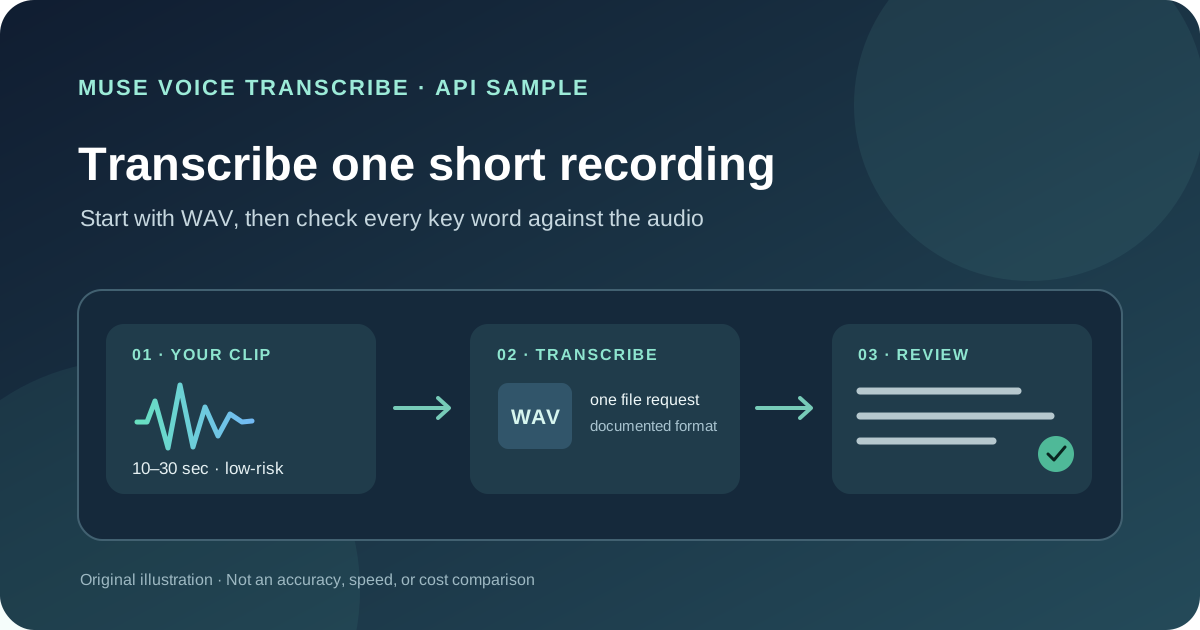
This guide focuses on “Muse Voice Transcribe API” and turns the question into practical steps you can check.
01 | This is the file API
Meta Model API currently offers Muse Voice Transcribe as a speech-to-text model. An existing recording uses POST /v1/asr/transcribe; live microphone audio uses a WebSocket endpoint. This guide makes one file request and is separate from everyday hold-Fn dictation on Mac.
Kalen Jordan posted on October 1 that transcription felt more accurate, faster, and cheaper to him. The post does not provide a repeatable test set, model comparison, or billing details, so treat that as one person’s experience. We will check only whether a short recording you can use safely returns text in the documented format.
02 | Choose a short, non-sensitive sample
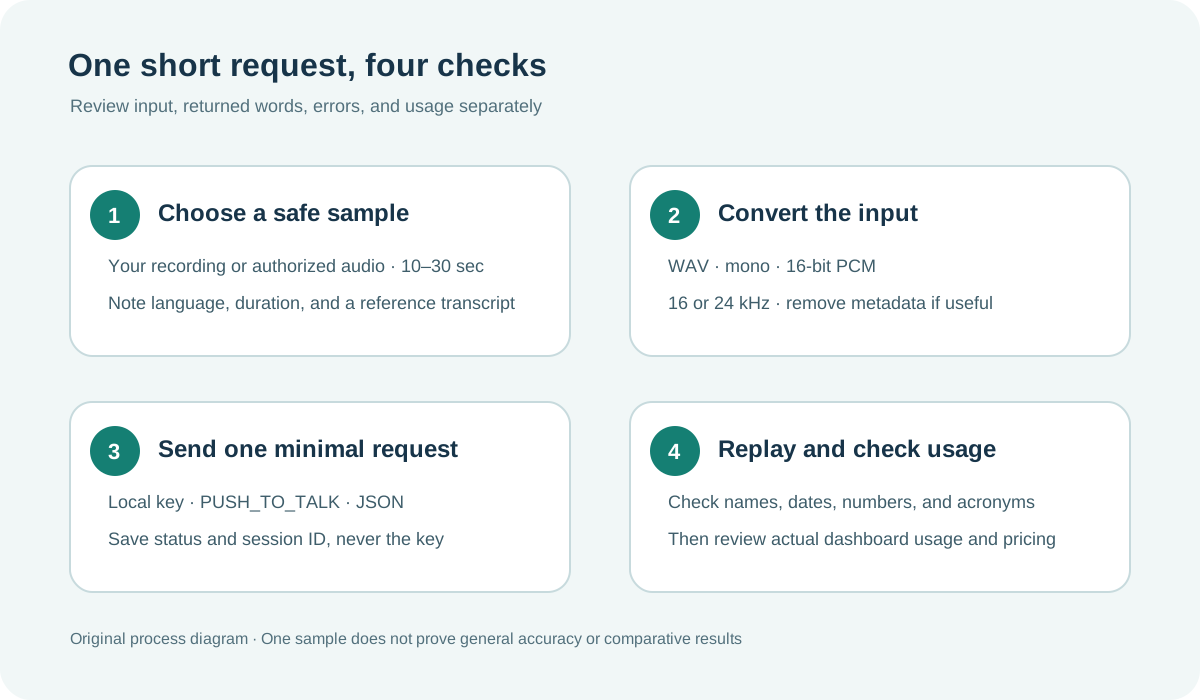
Prepare 10 to 30 seconds of audio that you recorded yourself or have permission to process. Read a short fictional sentence containing an ordinary name, date, amount, and product term so you have specific items to review. Do not start with a meeting, customer call, family recording, password, or real personal details.
Write down the original filename, duration, language, and words you actually spoke. A manual reference transcript gives you something to compare against after the request. Short audio also makes the upload size and possible charge easier to control.
03 | Convert it to the accepted WAV format
The documented file endpoint accepts a RIFF/WAVE container with mono, 16-bit integer PCM at either 16 kHz or 24 kHz. Convert MP3, M4A, or stereo WAV first. Meta’s example creates a 24 kHz file and removes media metadata:
ffmpeg -i input.m4a -ac 1 -ar 24000 -c:a pcm_s16le -map_metadata -1 sample.wav
Play sample.wav and check its duration, then listen to the beginning, middle, and end to make sure conversion did not cut or distort the audio. The endpoint caps one clip at 10 minutes and the whole request body at 32 MB. A short first sample stays well below both limits.
04 | Keep the API key in a local secret store
Meta’s quickstart says to create an API key in the Model API dashboard and send it in an HTTP Authorization Bearer header. If your account cannot create a key, stop here rather than using a credential from an unknown source. Keep the key in a local environment variable or secret manager. Do not place it in source code, a repository, a screenshot, a Muse prompt, or a public log. Use your organization’s restricted credential handling for shared machines and CI jobs.
The audio file leaves your machine and is sent to Meta’s API. Before uploading, check that it is suitable for this service and that you have handled participant consent, organizational rules, and retention requirements. Use a short, non-sensitive recording rather than sending an entire private meeting for convenience.
05 | Make one minimal request
For one clip, the default PUSH_TO_TALK mode treats the uploaded file as a single turn. The command below uses the model ID shown in Meta’s current example; check the live model catalog or your account if it changes. The JSON response contains transcript, audioDurationMs, and turns; turns are empty in this single-turn mode.
In Bash or a POSIX-compatible shell, set MODEL_API_KEY locally and run this reference command. Windows PowerShell uses different variable and argument syntax, so do not paste it unchanged. The terminal supplies the key; do not put it in a Muse prompt or screenshot.
curl --fail-with-body -X POST "https://api.meta.ai/v1/asr/transcribe" -H "Authorization: Bearer $MODEL_API_KEY" -H "Accept: application/json" -F 'request={"model":"muse-voice-transcribe-1.0","audioEncoding":"WAV","mode":"PUSH_TO_TALK"};type=application/json' -F "[email protected];type=audio/wav"
This is a reference request, not a MuseVIP test result. Save the HTTP status, returned session ID, duration, and error message separately from the credential.
06 | Review mixed language and vocabulary terms
Meta’s current documentation lists 25 supported languages and code-switching. languageBias accepts expected language names such as Mandarin Chinese and English; it is a hint, not a forced output language. keywords can include a few product names, places, or acronyms, but Meta says spelling is not guaranteed.
To compare these options, keep the audio fixed and make separate requests, adding only languageBias or only keywords each time. Record what changed. Replay names, amounts, dates, acronyms, and negations. Note omissions, substitutions, and punctuation errors instead of replacing the audio with a sentence that merely sounds plausible.
07 | Check turns without treating labels as identity
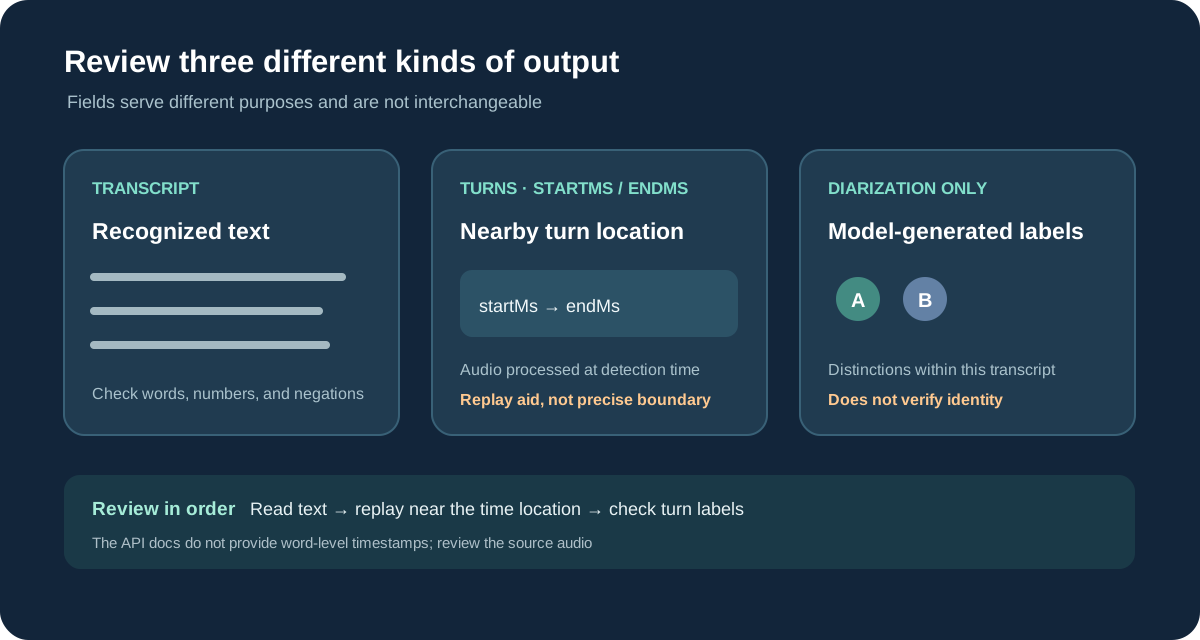
Try ENDPOINTING when you need speech-turn boundaries. Use DIARIZATION only when you also need labels such as A or B. startMs and endMs record how much audio had been processed when the model detected speech onset or end. They help locate nearby audio for review, but are not precise acoustic boundaries or word-level timestamps. A and B are labels for that transcription and do not verify a real person’s identity.
Use a recording you are authorized to process with clear turns, then compare each segment and boundary with the audio. Overlapping speech, brief interjections, and background noise can make boundaries or labels less reliable. If you only need the complete text, start with the single-turn mode and avoid fields you do not need.
08 | Review text, time, and speaker fields separately
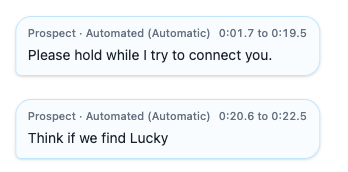
The complete text is in transcript. With ENDPOINTING or DIARIZATION, the response also includes turns. Each turn has text, start and end milliseconds, and a turn ID; only DIARIZATION adds speaker labels such as A or B.
Those millisecond values reflect how much audio had been processed when the model detected a turn boundary. Meta’s schema says they are not precise acoustic boundaries. Use them to navigate back to nearby source audio and replay it. If a downstream task needs word-level captions or a legal record, do not treat turn timestamps as word alignment.
09 | Review errors and actual usage before scaling up
HTTP 400 commonly means the audio is not the required WAV, a format setting is invalid, or the clip exceeds 10 minutes. A 413 means the request exceeds 32 MB; 406 means the requested response format is unsupported; 429 means a concurrency or hourly session limit was reached, and Meta recommends backing off; 500 means processing failed or exceeded the service budget. Fix one issue at a time, keep the session ID, and do not retry the same failure in a rapid loop.
Compare the result with your manual reference, then check usage in the Model API dashboard and consult the current pricing page. Meta’s public docs currently describe audio-duration billing and platform credits; the price, quota, and bill for your account should be checked on the day you send a request. One short sample confirms the request path and response shape, not that the service is faster, more accurate, or cheaper than alternatives.
For everyday desktop input, see the Muse Mac dictation guide. This API sample is for developers checking file transcription in their own program.
References
These sources support the product information in this guide. Musevip is an independent publication and is not affiliated with Meta.
Last reviewed 2026.10.02. Product pages may change.