
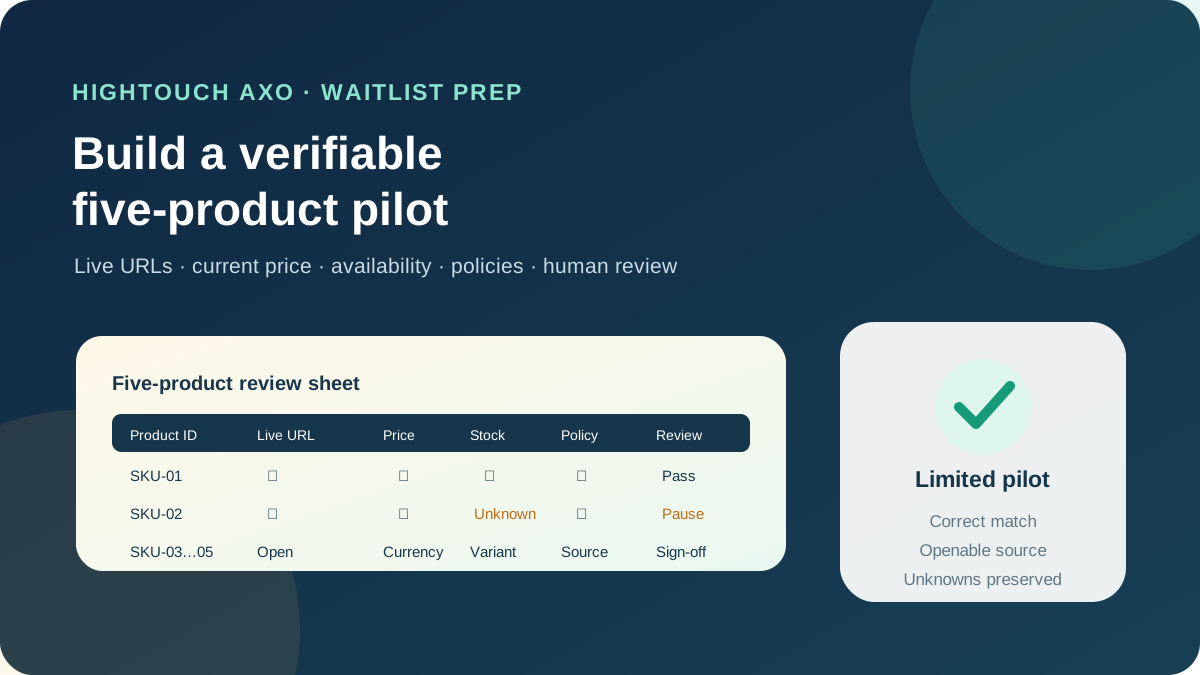
This guide focuses on “Hightouch AXO” and turns the question into practical steps you can check.
01 | Treat AXO as a waitlisted partnership
Hightouch’s AXO for Muse page still displayed “Join waitlist” on October 2, 2026. It says AXO organizes brand and product knowledge in a connector so Muse can find suitable items on the brand’s website. The page does not describe a generally available self-service setup or publish an AXO configuration manual.
Its demo asks for a teal lounge set under $100 with a relaxed fit and delivery before Friday. The result includes a product name, price, colors, availability, and an arrival date. Hightouch labels the scene as a demonstration with example data. It is useful for identifying fields, but it does not prove that a real brand has earned a recommendation.
Hightouch cofounder Tejas Manohar shared the AXO launch film and described selective brand partnerships. The original poster below contains the Muse character, with no product, application, or admin screen. It records the launch context rather than an operating step.

02 | Choose five products that are easy to audit
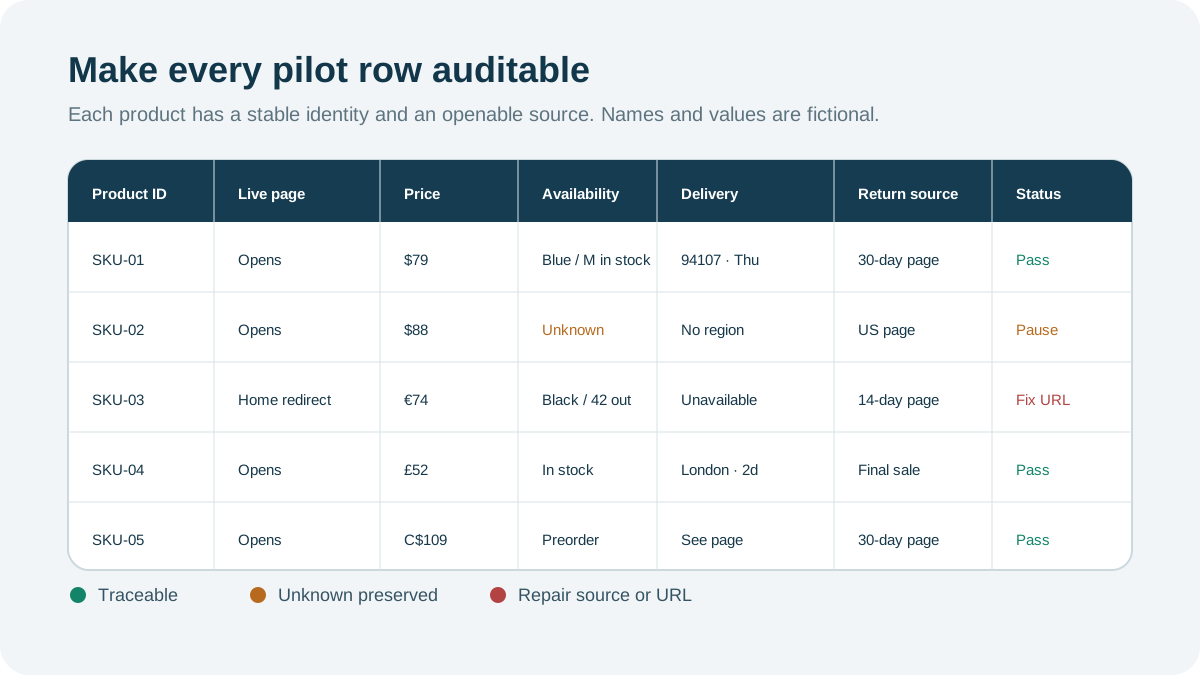
Do not begin with the full catalog. Select five products with complete live pages and clear policies. Include one item with size or color variants, one currently unavailable variant, and one item with a well-defined delivery area. That set exposes matching, out-of-stock, and unknown-value behavior without making the pilot unmanageable.
Give each row a stable product ID or SKU, plus its name, variant, color, and size. Hightouch’s general model documentation requires a unique, non-null primary key. Null keys are ignored, while duplicate keys are filtered and marked Rejected in sync logs. Even if the AXO onboarding team uses a different handoff, this is a useful cleanup rule for the pilot sheet.
Keep the customer-facing URL beside the internal ID. The ID identifies the record; the URL lets a reviewer verify it. For variants sharing one page, record which selector reveals each price and availability state.
03 | Assign one current source to every fact
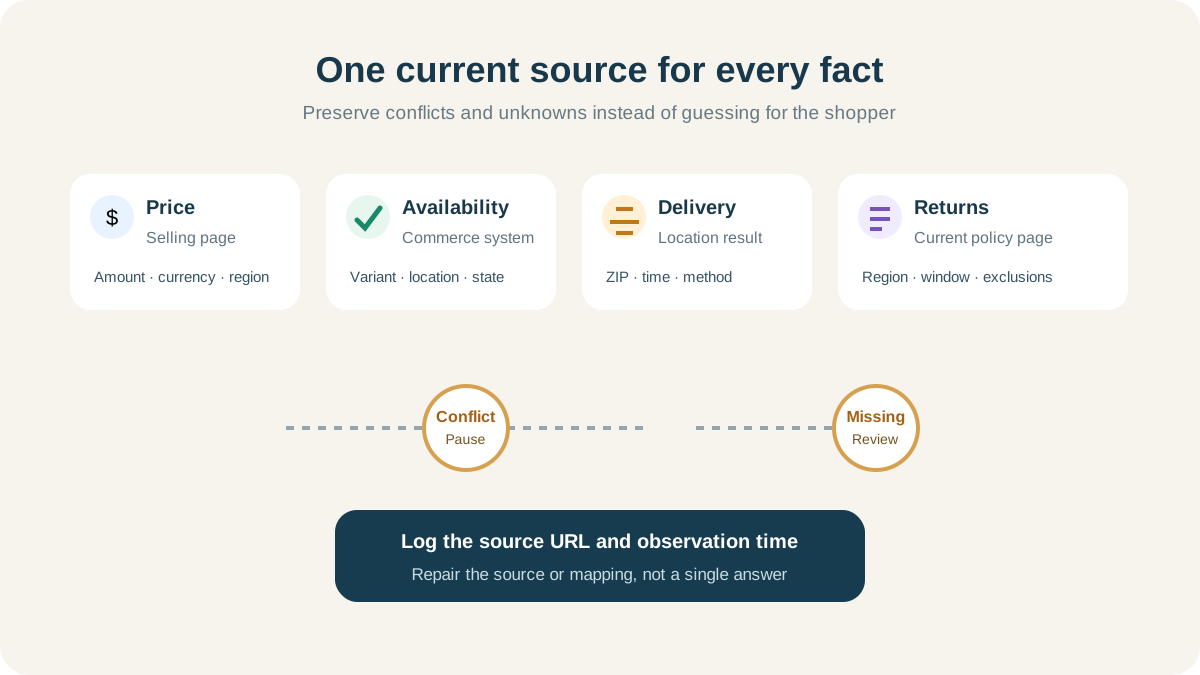
Map each field to a real source. Titles and images come from the product page, current prices from the selling page, availability from the commerce or inventory system, delivery estimates from a location-specific result, and return conditions from the current policy page. Store the URL, review time, and owner with each row.
The AXO page says it organizes product knowledge, but it does not promise to resolve conflicts for a brand. If the landing page says $88 and checkout says $96, mark the price as unresolved. If the inventory system says available while the public page says sold out, keep both observations and stop the row for review.
Use only images the brand may distribute, and record the canonical asset URL, alt text, and usage rights. Product claims should trace to approved copy, packaging, or instructions. Keep private campaign notes and unpublished discounts out of customer-facing fields.
04 | Attach conditions to price, availability, and delivery
A price needs an amount, currency, region, promotion status, and observation time. A sale also needs an end condition. Availability belongs to a variant and fulfillment location. Preserve missing data as unknown instead of converting it to zero. Delivery estimates need the location and time used to calculate them.
Hightouch’s Shopify destination can sync product, inventory item, and inventory level objects in its general data platform. Inventory item and inventory level syncs require an existing product’s Inventory Item ID. This proves that Hightouch supports commerce data flows. It does not prove that AXO is already connected to a particular Shopify store or that joining the waitlist imports one automatically.
If the brand already runs Hightouch syncs, ask the data owner for the most recent successful run and rejected-row count. Hightouch alerting can flag failed runs, rejected rows, and unexpected drops in model size. Pause the product review when those signals show that the source is unhealthy.
05 | Make policies and restrictions openable
Add the return-policy URL, region, return window, excluded categories, and contact route. Preserve conditions such as final sale, hygiene exclusions, or country-specific rules instead of reducing them to “returns accepted.” Preorders, custom products, subscriptions, and shipping restrictions each need an openable explanation.
Open every customer-facing URL in a signed-out browser. Confirm that it lands on the intended item, the variant remains selectable, price and currency match the sheet, and policy pages are reachable from the product experience. Record region blocks, login walls, and redirects to a generic home page.
This first package uses public commerce facts. It does not require order histories, customer names, email addresses, or complete behavioral profiles. Hightouch has other products that connect warehouses, CRMs, and marketing systems. Approve AXO’s actual scope only after the partnership team explains what it reads, stores, and returns.
06 | Provide a bounded brand brief
Hightouch says its marketing agents can use brand, campaign, and customer context, and can apply brand and legal guidelines during an initial content review. Keep the AXO pilot brief much smaller. List approved product facts, prohibited benefit claims, disallowed comparisons, and the owners of price, stock, and policy conflicts.
Use this instruction. “Evaluate only the five products in the attached pilot sheet. Every result must include the live product URL, price and currency, variant, availability state, query region, and observation time. Mark missing or conflicting values as unresolved. Do not infer stock, delivery dates, return eligibility, or product benefits. Do not use customer identity data, create an order, or modify a product. Show us any proposed scope expansion first.”
Hightouch’s broader platform can draw context from warehouses, CRMs, advertising systems, and internal knowledge. That catalog of capabilities is not a reason to connect all of them in the first AXO pilot. Ask the implementation team to name each required source and field, then have both a data owner and an access owner approve the list.
07 | Join the waitlist with review questions ready
Use the current “Join waitlist” route on Hightouch’s AXO page and follow the form and terms visible at that time. This guide does not invent form fields or predict an onboarding date. A brand URL, pilot region, five-product sheet, data owner, and policy reviewer are enough to support an initial discussion.
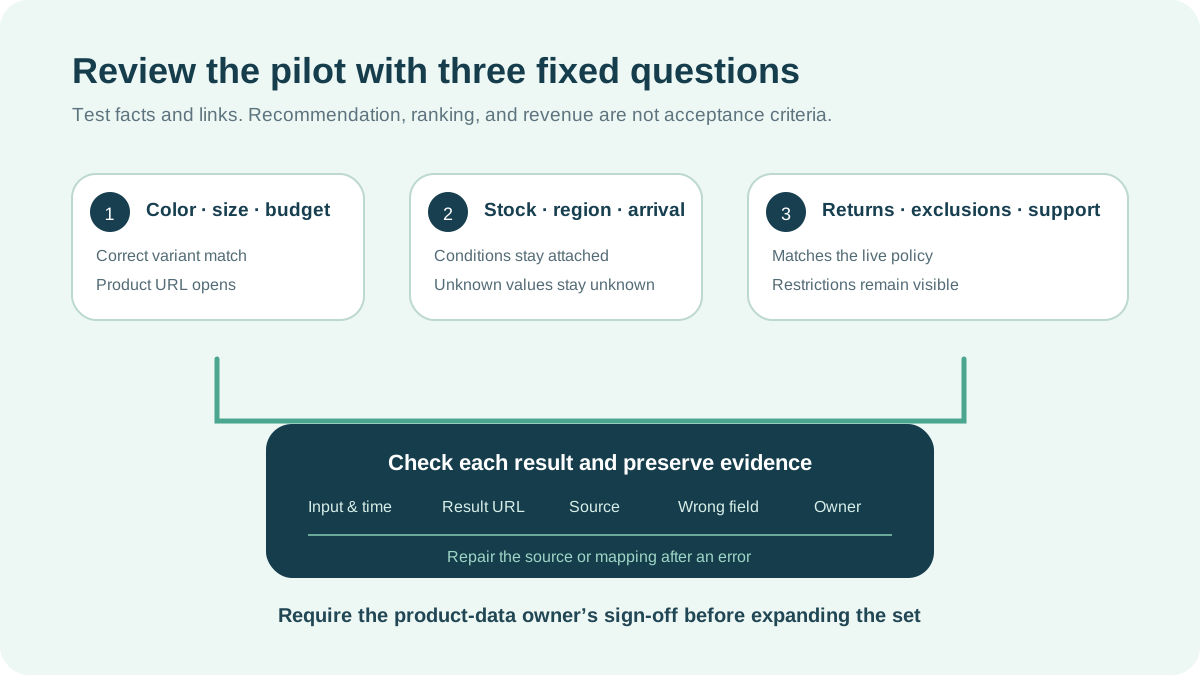
If a pilot becomes available, test three question families. Ask for a product with a specified color, size, and budget; ask about availability and delivery to a named region; then ask about return conditions. Record the input, result, product URL, supporting source, error, and review time. Use synthetic shopping requirements rather than a real customer profile.
The official demo talks about recommendation and search insights. Your acceptance criteria should stay with facts that can be checked. You can verify the product match, current price, live link, and treatment of unknown values. Public material does not guarantee that Muse will recommend the brand, assign a ranking, or generate revenue.
08 | Repair the source when one value is wrong
When a result contains the wrong price, availability, or policy, record the product ID, wrong field, canonical source, and observation time. Fix a source error at the source, ask the implementation owner to repair a mapping error, and inspect sync health when the website changed but the package did not. A correction inside one answer will not repair the next query.
Expand the pilot in small batches after the first set passes. Recheck when a promotion begins or ends, a policy changes, a product is retired, or the inventory system moves. Sync alerts point to a data problem; someone still needs to open the product and policy pages and see what a shopper would receive.
If the upstream problem is multi-location Shopify inventory, use the Shopify inventory review guide to normalize variants, locations, and inventory states first. That workflow audits store data. This one prepares product facts and website acceptance checks for an AXO waitlist conversation.
References
These sources support the product information in this guide. Musevip is an independent publication and is not affiliated with Meta.
Last reviewed 2026.10.02. Product pages may change.