
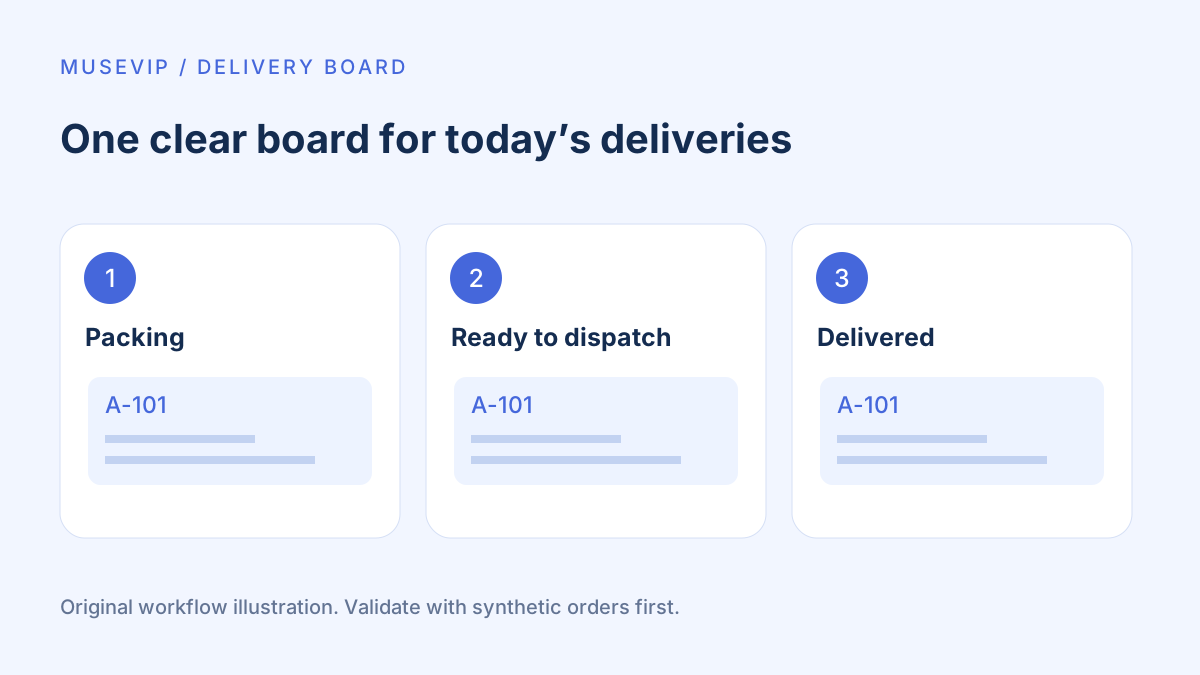
This guide focuses on “Muse delivery dashboard” and turns the question into practical steps you can check.
01 | Start with one useful part of today’s work
Even a few deliveries can leave a shop guessing which order is packed, waiting for a driver or already delivered. Ask Muse for a small page that keeps those states together. Keep payments, customer messages and route planning outside the first version.
Musecases described a delivery dashboard on September 30, but the post included a concept image without the order table or test history. Meta’s design article confirms webpages and interactive Artifacts. The sample orders and acceptance checks below are our own teaching examples, not a reproduction or a tested result from that story.
Ask where your account can open the result, where its records will live and whether it supports export. Adapt to the actual delivery format. This first version is for one operator; shared editing, live courier updates and background alerts need separate verification.
02 | Define what one row represents
Use one row per delivery order, with a unique order ID. Several products may belong to that order. Product names and customer names are poor identifiers because both can repeat.
Keep the ID, items and quantities, packing checks, promised delivery time, shop time zone, current delivery state and last update. Use a short state list such as packing, ready, out for delivery, delivered and cancelled. Track payment separately; paid does not automatically mean delivered.
Use aliases and broad areas in the prototype. Keep actual addresses and phone numbers in the private records that need them. Establish who can view and edit the page, and whether its link is public, using synthetic data before sharing customer information.
03 | Use three synthetic orders with known answers
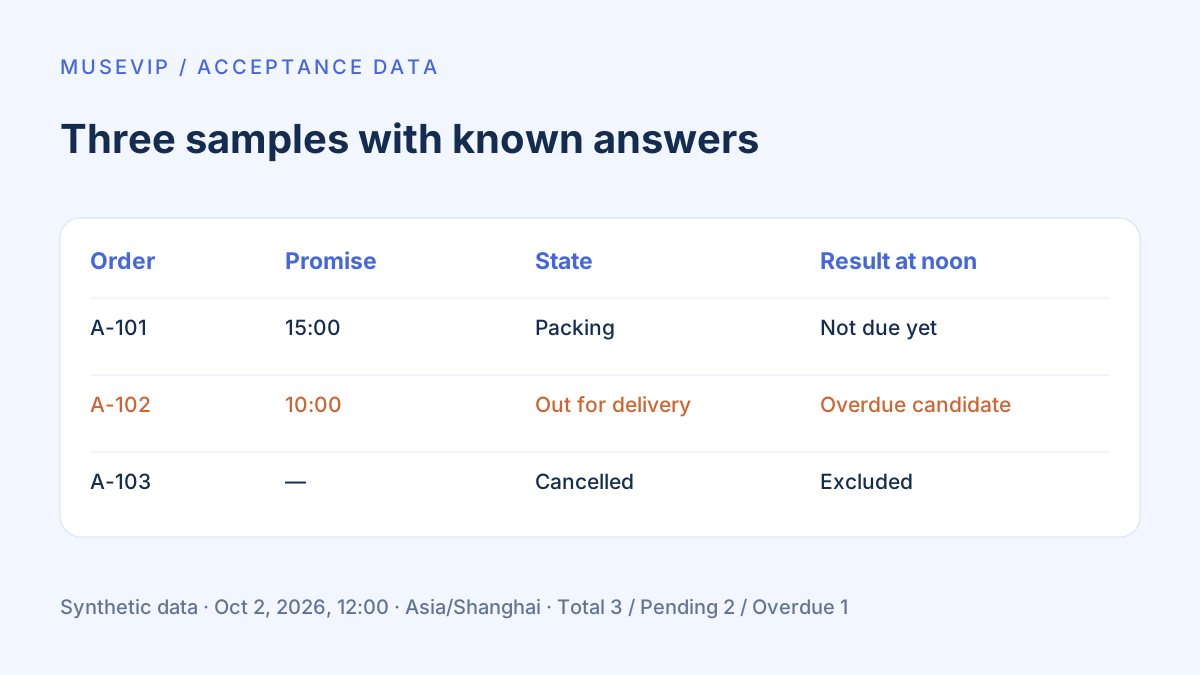
Create A-101 with two items, a packing state and a promised delivery of October 2, 2026 at 15:00. Create A-102 as out for delivery with a promise of 10:00, and A-103 as cancelled. Use the shop time zone Asia/Shanghai throughout, with no real contact details.
Freeze the check time at noon that day. Under these rules A-102 is an overdue candidate, A-101 is not due yet and A-103 is excluded from pending delivery. The expected counts are three total orders, two pending and one overdue candidate. These are supplied test answers, not claims about a generated app.
Then add an order with no promised time. It should show time unconfirmed rather than silently receiving a guessed deadline. Ask for this case in the acceptance notes too.
04 | Give Muse a complete, small request
Try this request. “Build a single-operator delivery board from these synthetic orders. One row is one order, identified by its unique order ID. Add all, pending, overdue-candidate and unconfirmed-time filters. Exclude delivered and cancelled orders from pending. Packing checks record packing only and must not mark an order delivered. Evaluate times in Asia/Shanghai. First validate the three samples at noon on October 2, 2026, then restore the current clock. Do not send messages, order, pay or call external maps. Explain storage and provide recoverable export and import. Tell me what you cannot support.”
Check its interpretation before opening the result. If item checkboxes are unavailable, begin with an item list and manual confirmation. If export and import are missing, keep a static preview and your original table until storage is ready for real work.
This is a requested specification, not a promise about every Artifact. Open the actual result and operate its controls; a polished screenshot cannot establish saving, filtering or correct state changes.
05 | Check packing, overdue states and area groups separately
Tick the first A-101 item and confirm the second remains unchecked. Decide explicitly whether completing all packing checks advances the order to ready. A mistaken check should be reversible with a visible update time.
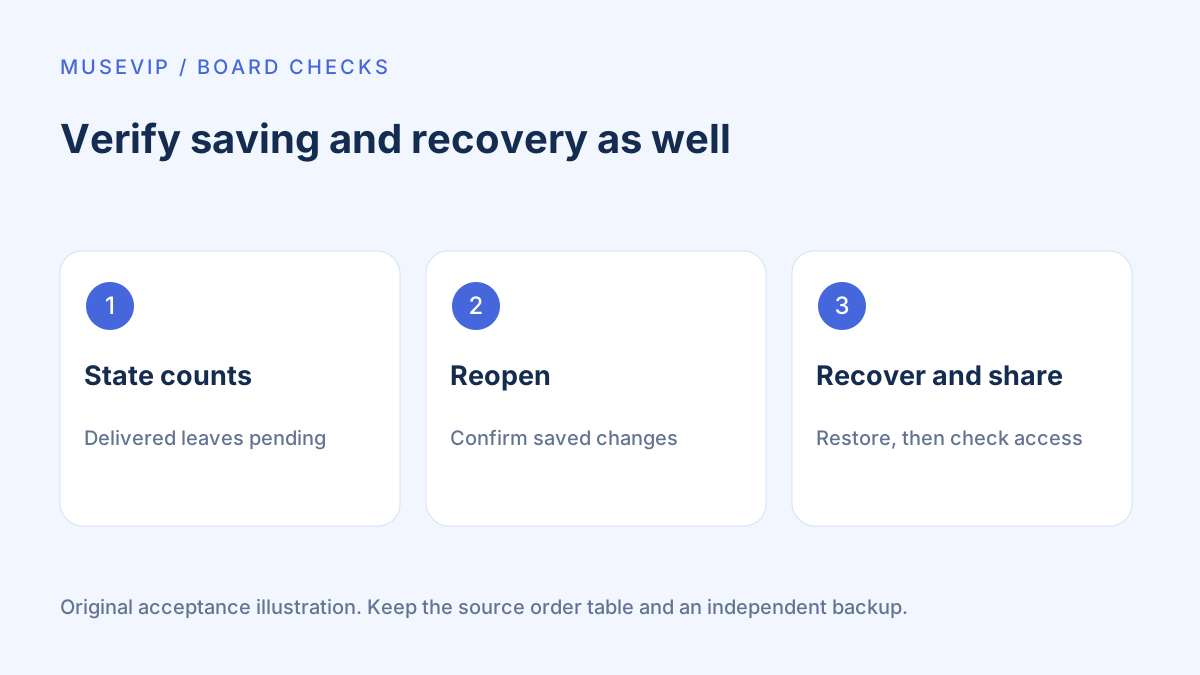
Mark A-102 delivered. Pending and overdue-candidate counts should each drop by one, while the total remains three. Restore its out-for-delivery state and check the filters again. Filtering must not delete hidden records.
Grouping orders by area only establishes a grouping. It has not checked roads, traffic, vehicle capacity or real addresses. Use an actual mapping or delivery service after confirming addresses when route planning becomes necessary.
If a date control captures only a local date and time, store the shop time zone separately. MDN documents that datetime-local does not include a time zone. Repeat the fixed-time check on a device set to another time zone to catch misleading overdue labels.
06 | Prove that changes survive reopening
Change a sample, refresh, then close and reopen the page. Check it in another browser and record whether the same change appears. If it does not synchronize, label the tool for a single device so two operators do not unknowingly edit separate copies.
Ask which storage mechanism is actually used. Browser localStorage is tied to its origin and browser environment; private browsing, cleared site data and a change of protocol can affect it. Storage behavior for a local HTML file opened directly is not universally guaranteed.
Browser storage is also subject to quotas and cleanup. A failed write should display a failure, not a saved confirmation. Explore these limits with synthetic data before deciding whether the tool needs a separate backend and backup process.
07 | Recover an export in an empty copy
Export the three samples and import them into a separate empty copy. Compare IDs, quantities, states, times, time zones and packing checks. Keep the original table until recovery works. Do not clear the working version to test this.
For CSV, include notes containing a comma, a quote and a newline, and check for split rows or columns. External text may be interpreted as spreadsheet formulas, and quoting alone does not guarantee safe behavior across applications. Check text import and formula handling in the spreadsheet you actually use, and retain a structured backup that has not been rewritten by that spreadsheet.
Export only the fields each recipient needs. Share demonstrations using synthetic records; review the recipient and fields of a real driver list separately. An accessible webpage also needs an access policy that matches the shop’s intended audience.
08 | Add a few real orders after the checks pass
On day one, enter a few orders manually and compare each against the existing order table. Assign one person to update states and record dispatch and delivery confirmations. Keep payment and official order information in the original order system.
At the end of the day, compare actual states with handoff notes and export a backup. Add missing fields to the specification, then rerun the synthetic examples for the next version. Inventory and returns need their own workflows; see inventory checks and return handoffs.
References
These sources support the product information in this guide. Musevip is an independent publication and is not affiliated with Meta.
Last reviewed 2026.10.02. Product pages may change.