
This guide focuses on “Muse for Small Business” and turns the question into practical steps you can check.
01 | What Meta announced
Meta announced Muse for Small Business on September 29. It runs inside Muse rather than a separate business app. The release adds business-focused skills and connectors. Meta named services including Asana, Canva, Dropbox, Figma, Intuit QuickBooks, Notion, Shopify, Slack, Stripe, Zoom, and Facebook and Instagram business accounts.
Your Settings page remains the source of truth for availability. Muse was available in the United States and Canada at the time of the announcement, and Meta said the connector list would continue to grow. A screenshot from another account does not prove that the same control is active in your region or plan.
Meta's examples include reviewing sales, campaigns, and social activity, checking cash flow and unusual expenses, and preparing customer communication or campaign drafts. A read-only weekly brief is a sensible first job. It produces something useful without letting a new connection change inventory, send a campaign, or spend money.
02 | Why a weekly brief works as a first job
Small-business work arrives in fragments. An order needs attention on Monday, ad spend moves on Wednesday, and a customer thread is still waiting on Friday. Owners usually know parts of the story, then spend another hour rebuilding it before they can plan the next week.
A weekly brief narrows the job. Muse finds changes within a fixed period, keeps the original record beside each item, and puts owner decisions at the end. It does not need to diagnose a sales decline or contact a customer. The first useful result is a reviewable page of facts.
03 | Connect one or two sources
Do not connect the whole list on day one. Choose one or two systems that can answer the immediate question. A project-based studio might start with Asana or Notion. A store might review Shopify orders with one approved marketing source. A local business might begin with public performance from its Facebook or Instagram business account.
Read the permission screen. If the first run only needs a summary, avoid send, publish, payment, project-update, and customer-record write access. Meta says nothing publishes, sends, or spends without approval. You still need to read the approval card because one-time access and an ongoing allowance create different risks.
04 | Keep four kinds of information
When two systems disagree, show both records. The order dashboard, campaign report, and spreadsheet may use different date windows. One number may include tax while another excludes it. Explain the measurement before interpreting the change.
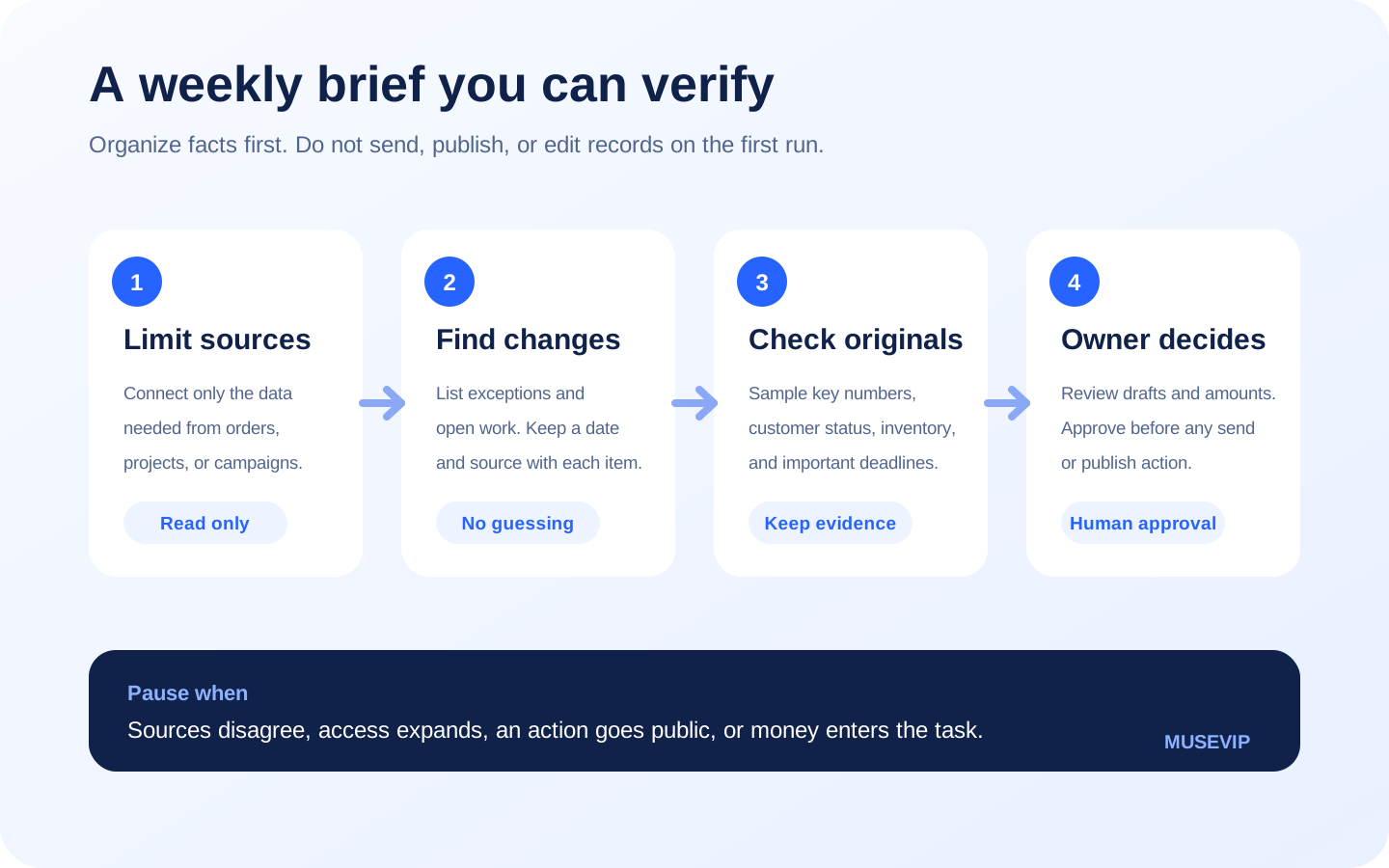
- Record what changed during the selected week and retain the source, date, and query range.
- Pull exceptions into a separate section and name the number, deadline, or state they differ from.
- Leave missing information open instead of filling it with a plausible estimate from an earlier week.
- End with decisions for the owner and show which outside action each decision could trigger.
05 | A brief you can act on
Consider a small online store. Its brief can state the reporting window, then show order and refund changes, possible low-stock items, unusual campaign spending, and customer threads that remain open. The final section holds three owner decisions. Every line should open the order, campaign, or original record behind it.
Keep explanations separate from facts. A report can confirm that campaign cost rose. It may not establish whether creative fatigue, more competition, or broken tracking caused the increase. Ask Muse to label explanations as hypotheses and name the evidence required to check them.
06 | What the official business stories show
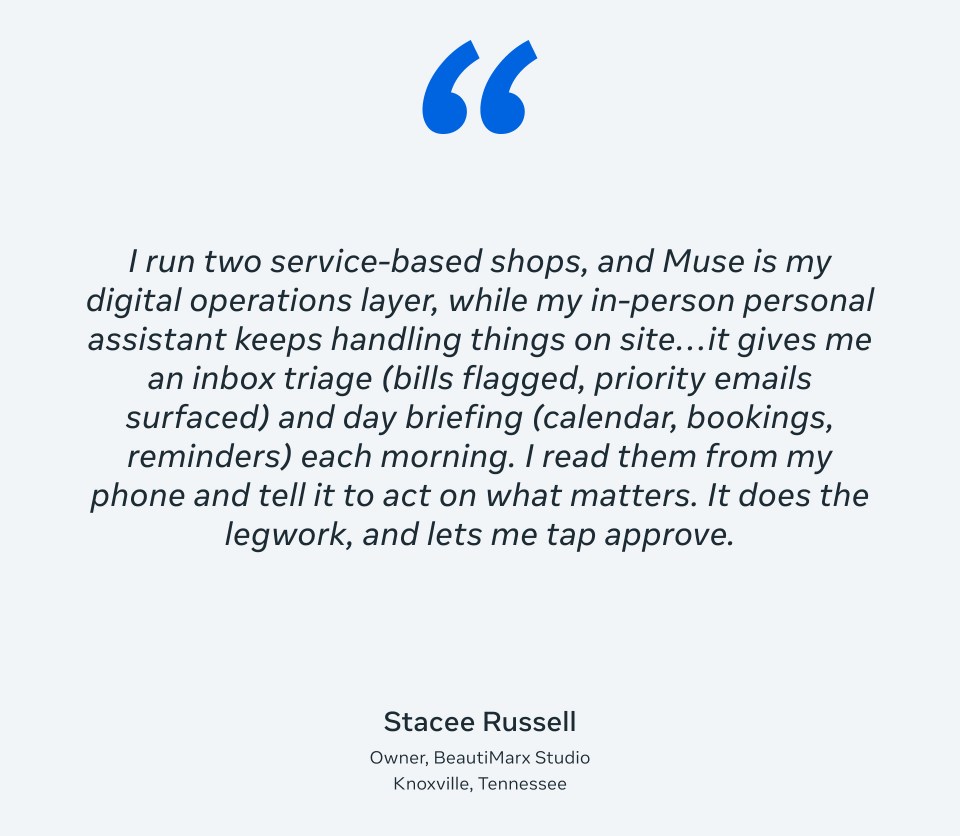
Meta's announcement includes feedback from small-business owners and connector partners. Stacee Russell of BeautiMarx Studio describes a workflow close to this brief. Muse surfaces bills and priority email, adds calendar, booking, and reminder context, then leaves her to decide what should move forward.
The card is a useful example, not a guarantee that every business has the same integrations or results. Data volume, account access, bookkeeping structure, and region all change the job.
07 | A prompt to copy
Replace the brackets with your tools and dates. Keep the first run read-only so you can judge whether the sources are reliable.
Prepare a weekly operations brief for my [business type] covering [date range]. Read only the connected [system one] and [system two]. Before starting, tell me which accounts, records, and permissions you can access.
State the query time and time zone. Show this week's changes first, followed by exceptions and items still waiting. Keep the source, record date, and current status with every item. If two sources disagree, show both. Mark missing information as unconfirmed.
Separate facts from your explanations. Treat explanations as hypotheses and state what evidence would test them. End with no more than three decisions for me. Organize and draft only. Do not send, publish, edit an order or project, contact a customer, or pay. Show the complete action and wait for my separate approval before anything happens outside the brief.
08 | Sample three records before trusting the summary
Check one ordinary item first so you know the report did not select only problems. Check one amount or count in the original system, including its time window, currency, tax, and refund treatment. Then open one customer or project status to make sure waiting for a reply did not become completed work.
A completed Muse task confirms that the summary run ended. It does not prove that a refund posted, an ad stopped, or a customer received a message. Keep an original link or record ID in the brief so verification does not require another search.
09 | Leave these inputs out of the first run
Pause when records disagree, access suddenly expands, the task is about to go public, or money enters the workflow. Return to read-only access and check the original records. Review ongoing permissions after the brief is done and disconnect services you no longer need.
- Full payment-card details, passwords, one-time codes, and identity documents the task does not need.
- Employee records, private customer conversations, and health information unrelated to the operations question.
- Financial sheets with an unsettled definition or manual totals whose origin you cannot explain.
- Automations that can initiate payment, refunds, contract changes, or bulk outbound communication.
10 | Make the first brief boring and dependable
Use seven days, one or two systems, and no more than three owner decisions. On the second week, keep the fields that helped and remove anything nobody used.
After two briefs that match the important original records, you can consider asking Muse to prepare drafts or update a project. Keep approval for sending, publishing, and spending. The point is to search through fewer dashboards while still knowing where every conclusion came from.
References
These sources support the product information in this guide. Musevip is an independent publication and is not affiliated with Meta.
Last reviewed 2026.09.29. Product pages may change.