
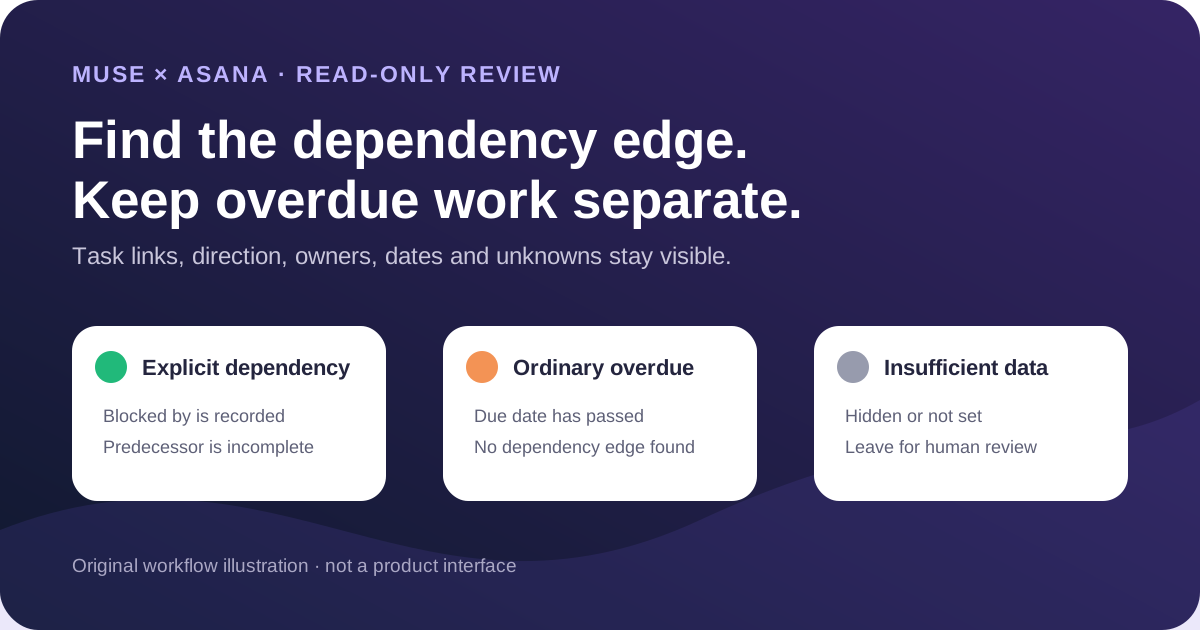
This guide focuses on “Muse Asana” and turns the question into practical steps you can check.
01 | Give Muse one narrow project question
A late task, an incomplete task, and a task waiting on another piece of work are different records. They can overlap, but one does not prove the other. A useful first job for Muse is a read-only inventory that identifies explicit dependency edges and sends every finding back to the original Asana task.
Meta listed Asana among the Muse for Small Business connectors announced on September 29, 2026. That announcement establishes the connection, while effective fields and actions still depend on product availability, the connected Asana user, project permissions, and the access approved during connection.
The community image below shows interest in the Muse and Asana pairing. It contains no tasks, owners, dates, or dependency fields. This guide therefore uses Meta and Asana documentation for the workflow and makes no claim that the pictured account completed an audit.

02 | Pin the project and permission boundary
Open the intended project in Asana and copy its URL. Record the workspace and project name, then give Muse the URL instead of relying on a title that might exist twice. Confirm which Asana account is connected and which project it can actually see.
Asana task access is contextual. A private project is limited to its members, while an individual task can be restricted to collaborators. A missing result therefore means not returned or access unknown until somebody checks. It does not prove that the task was deleted or never existed.
Approve only the access needed for this review. State that Muse must not create, move, assign, complete, or edit tasks and must not change dependencies, dates, descriptions, or comments. The instruction helps define the job, while the connector permission screen remains the access control.
03 | Collect a complete task inventory first
Ask for the named project, the snapshot time, and confirmation that all result pages were retrieved. A partial inventory can hide a predecessor and make a dependency chain look shorter than it is.
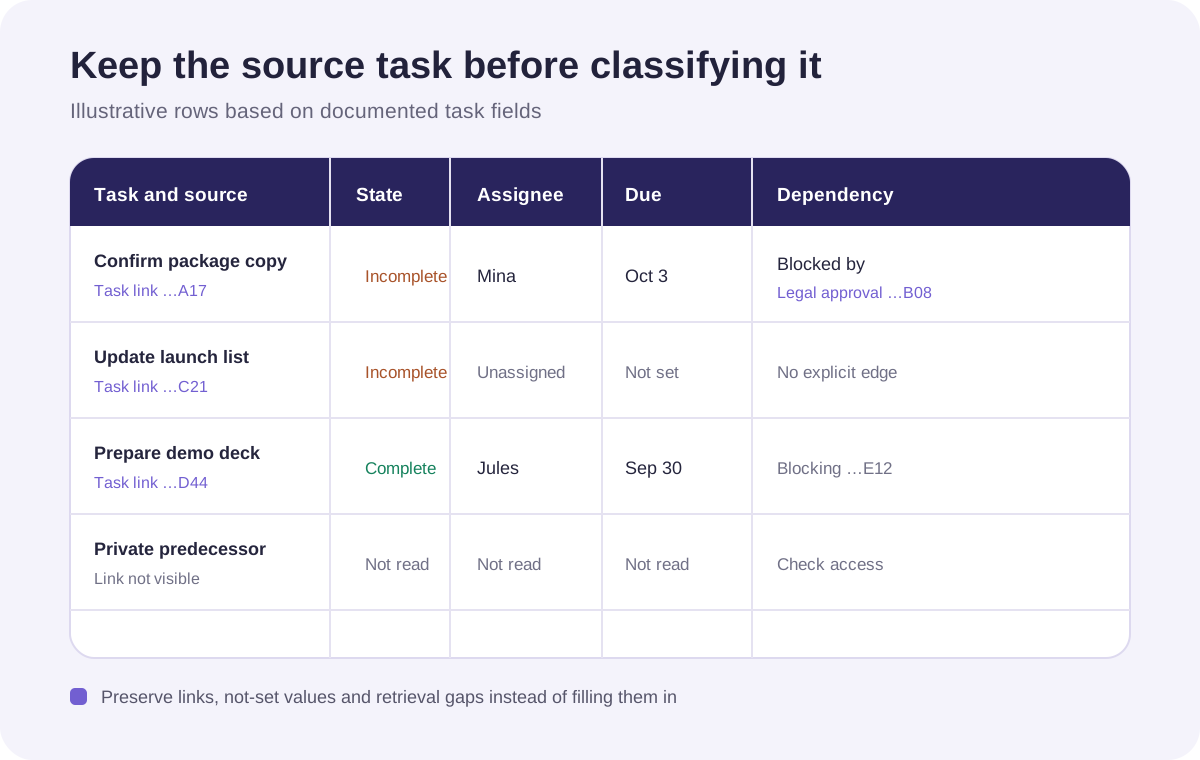
For every returned task, keep its title, completion state, assignee, due date or time, visible project and section, explicit Blocked by links, explicit Blocking links, and a stable task ID or permalink when available. Preserve missing fields as missing instead of completing them from title order or nearby dates.
The permalink is the review trail. It lets a teammate open the source record and helps determine whether two project rows refer to the same underlying task. A polished summary without source tasks is difficult to verify and easy to act on incorrectly.
04 | Classify only explicit dependencies as blocked
Asana defines dependencies as explicit relationships between tasks. Blocked by identifies the predecessor preventing the current task from proceeding. Blocking identifies downstream tasks waiting on the current task. Use those recorded relationships for the dependency queue. Asana currently lists dependencies for Starter and higher plans, so record the feature as unavailable when the account does not expose it.
An incomplete task can have no dependency at all. When its due date has passed, place it in an overdue queue. When it has no due date, record incomplete with no date. A custom status such as Waiting or At risk remains useful context, but it does not replace the documented dependency field.
If the predecessor is incomplete, the downstream task is a current blocked candidate. If the predecessor is complete but the relationship still appears active, mark it for relationship review. When the predecessor is outside the connected user’s view, report the hidden target instead of treating it as complete.
05 | Read each dependency in the correct direction
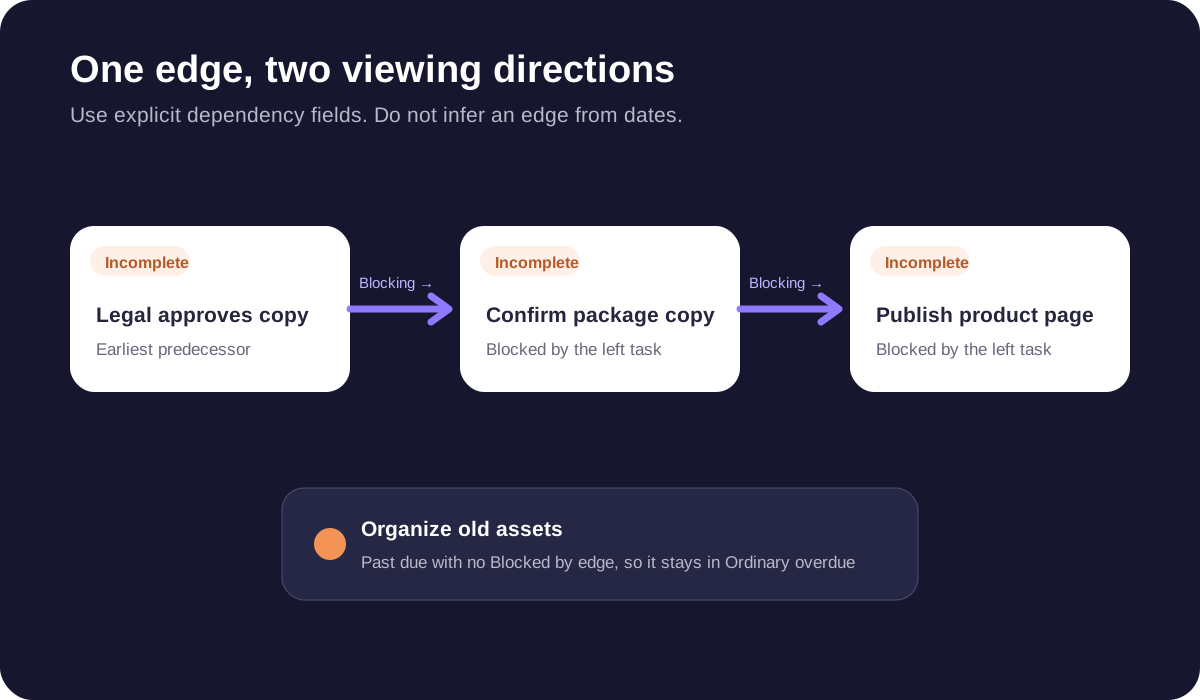
Consider a fictional task named Confirm package copy that is waiting on Legal approves copy. The first row should say Confirm package copy is blocked by Legal approves copy. Viewed from the other task, Legal approves copy is blocking Confirm package copy. Reversing those labels sends the follow-up to the wrong place.
For a chain where A blocks B and B blocks C, show A to B to C and locate the earliest visible incomplete predecessor. Do not infer that edge from dates alone. Asana documents timeline settings in which date movement and dependency relationships can still leave conflicting dates.
A task can depend on several predecessors, and one predecessor can block several downstream tasks. Keep each edge in the task inventory. A summary may count downstream impact, but it should not remove the second predecessor to make the chart simpler.
06 | Collapse multi-homed appearances by task identity
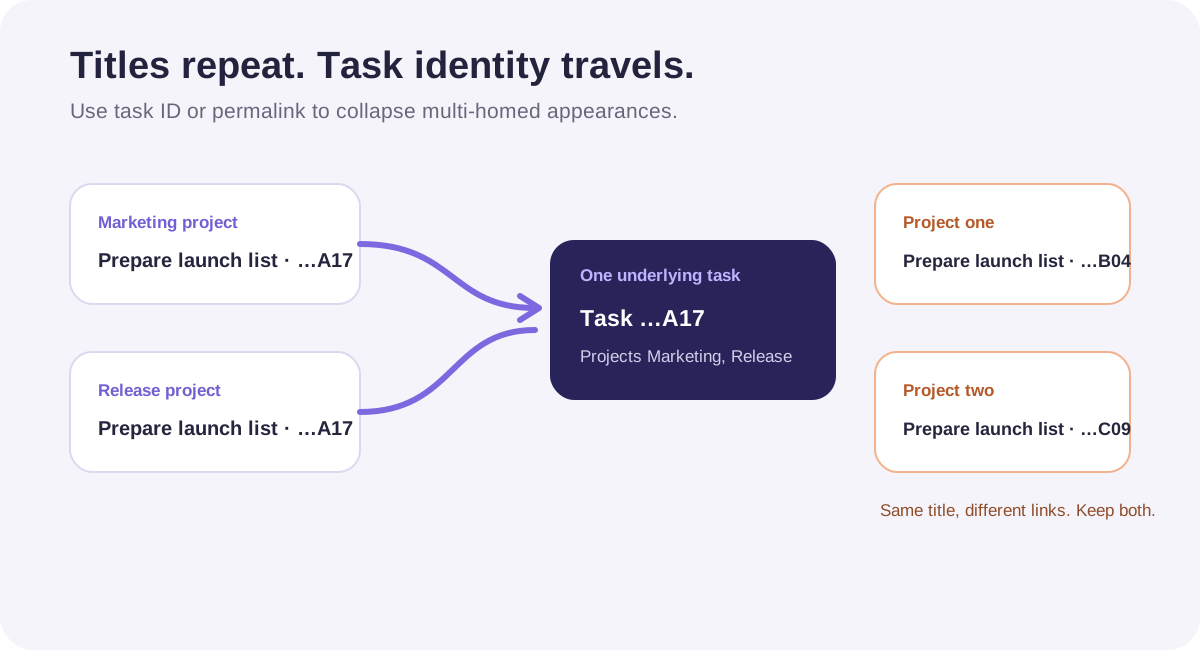
Asana can place one task in several projects at the same time. This multi-homing feature keeps one underlying task, so edits to its assignee, due date, or description are reflected wherever that task appears.
Deduplicate by task ID or permalink. Keep one task row and list every visible project and section on it. Two tasks with identical titles but different links remain separate until a project owner confirms whether the team created a genuine duplicate.
Visibility can vary across those projects. Report only memberships visible through the connected account. Do not speculate about private projects. If the same task appears through another project with broader access, reviewers should still inspect current task and project permissions in Asana.
07 | Leave unknown owners and dates unresolved
An Asana task has one assignee and can have several collaborators. Use the assignee as owner in the report. A collaborator, creator, or recent commenter must not be promoted to owner. An empty assignee becomes Unassigned for the project team to resolve.
Preserve date precision as well. Keep a date-only deadline as a date. Keep an explicit time with its time-zone context. A task without a due date stays Not set. Never calculate a predecessor deadline backward from a downstream date.
A useful review has separate groups for confirmed blocked tasks, dependency relationships to verify, ordinary overdue tasks, incomplete tasks without dependencies, and insufficient data. Those groups support a project decision without assigning a person or promising a new deadline.
08 | Copy this read-only audit request
Replace the workspace and project URL. Begin with one project so you can verify identity and edge direction before expanding the review.
Run a read-only review of the currently connected Asana account. The target workspace is [workspace] and the target project is [project URL]. First return the project name and URL you resolved and wait for my confirmation. Read only this project and its tasks. Do not create, move, assign, complete, or edit a task, and do not add comments.
Retrieve the complete task inventory. State the snapshot time and whether every result page was retrieved. For each row include title, task ID or source link, completion state, assignee, due date or due time, visible projects and sections, Blocked by, Blocking, and the predecessor completion state. Keep missing, unavailable, and not set as distinct values.
Classify a task as confirmed blocked only when an explicit Blocked by relationship exists and its predecessor is incomplete. Put late tasks with no dependency in Ordinary overdue. Put incomplete tasks without dates in Incomplete, no date. Put hidden predecessors and unclear direction in Needs review without guessing.
Deduplicate multi-homed appearances by task ID or source link while retaining all visible project memberships. Return the task inventory, dependency chains, the earliest visible incomplete predecessor in each chain, insufficient-data items, and source links for Asana review. Do not propose a new assignee or deadline.
09 | Verify the queue in Asana
Open every source link in each blocked chain. Confirm that the predecessor remains incomplete, the edge points in the reported direction, and the assignee or date has not changed since the snapshot. Refresh critical tasks before a meeting or follow-up because project work changes continuously.
Give permission gaps to a project member who can inspect the private task. Let the team resolve unassigned or undated work. Avoid filling fields merely to complete the report, and make any eventual task change as a separate reviewed action.
Use the Muse Notion project brief when the team needs cross-tool context, or continue with the Muse small-business weekly brief after the Asana facts are checked. Review whether the Muse connection should retain Asana access when the audit is finished.
References
These sources support the product information in this guide. Musevip is an independent publication and is not affiliated with Meta.
Last reviewed 2026.10.01. Product pages may change.