
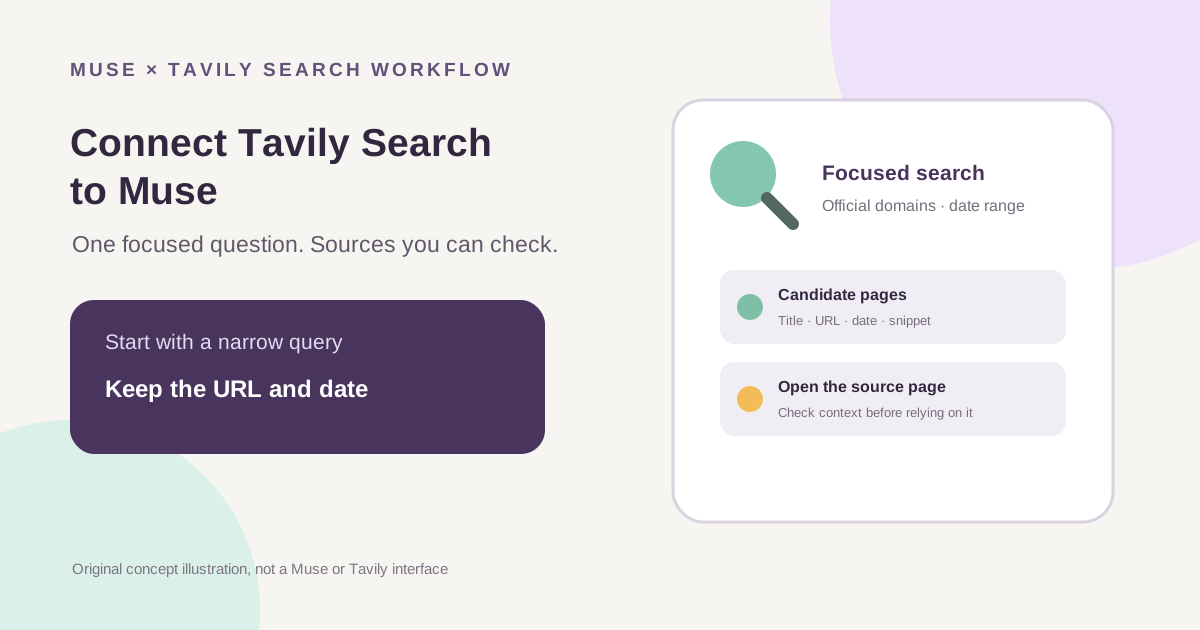
This guide focuses on “Muse Tavily connector” and turns the question into practical steps you can check.
01 | Start with one question you can check
A custom search connector is easier to control when the job is narrow: for example, “find this product’s updates from the past week, prioritizing its official docs.” A broad request such as “research this industry” leaves Muse to guess the topic, date range, and source standard. Tighten the question until a person could verify the answer against public pages.
Meta’s Help Center says you can ask Muse in chat to create a custom connector. Muse guides you through service API information and stores credentials in its Secure Credentials Store. Meta also says custom connectors are not reviewed by Meta. Read Tavily’s terms and privacy policy first, and connect only an account and capability you are willing to let Muse call. MuseVIP has not created or tested this connector in a live account.

02 | Get your own API key from Tavily’s official platform
Tavily’s Quickstart directs users to sign in to Tavily Platform and copy an API key from the account dashboard. Its current credits page lists 1,000 free API credits per month with no credit card required. Your available balance and billing settings are account-specific, so check the dashboard before allowing pay-as-you-go billing.
An API key is a credential that can call your account’s service. Submit it only in a secure credential step that you have confirmed belongs to the official Muse connection flow. Keep the raw key out of ordinary chat prompts, sample code, screenshots, shared notes, and published articles. If Muse asks you to paste the key into ordinary chat text, stop and check the current official instructions instead. A safe example uses `[select the Tavily API key in the secure credential step]`, never a key-shaped string that might be mistaken for a real secret.
03 | Use Tavily’s official docs as the connector reference
Tavily’s official X account described a starting approach: ask Muse to create a connector from Tavily’s docs, then add the key in the following credential step and test it. Meta confirms that Muse can guide custom-connector setup through chat. Make the request more explicit by asking Muse to explain what it intends to call before you approve the connection.
You can write: ‘Use the official Tavily documentation at https://docs.tavily.com/ to help me create a custom connector for web search only. First tell me which Tavily service it will connect to, which search capability it will call, what access it needs, and what it may cost. Do not start searching other topics. Before creating the connector, wait while I review the credential authorization step. Submit the API key only through the secure credential flow; do not ask me to paste it into chat, code, or a reply. After setup, run one low-cost test query. Show the actual HTTP status and credit usage returned by Tavily; if a value is not visible in the connector result, label it unavailable instead of guessing. Keep the result titles, source URLs, and visible dates. Do not present a generated summary as a verified fact.’
This brief describes task boundaries; it cannot replace connector authorization. If the displayed domain or access request differs from what you expect, cancel and review it. Meta also advises users to consider the service provider’s own terms and privacy policy.
04 | Run one low-cost query to check the connection
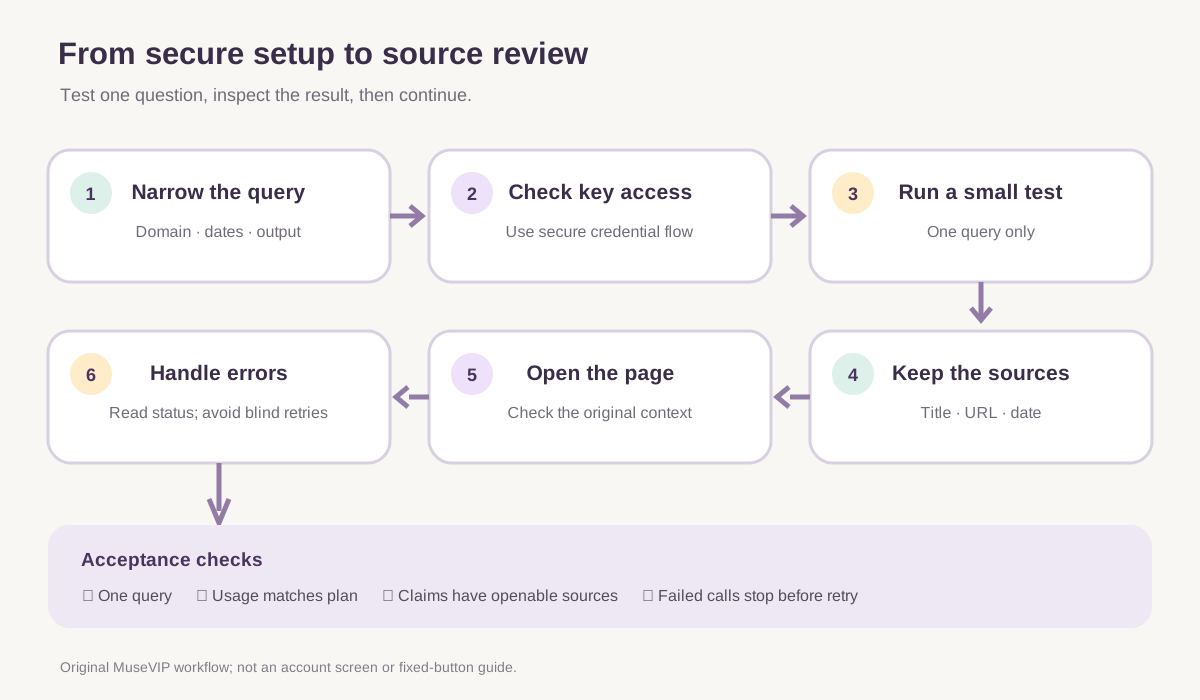
Tavily’s Search API charges one credit for basic, fast, and ultra-fast searches, and two for advanced search. Start with one basic query and a small result limit. The API supports options such as `max_results`, `search_depth`, and `include_domains`; ask Muse to show the settings it actually used before adjusting them. Avoid repeated searches across many keywords just to prove that the connector works.
A useful test should return a Tavily result list with source URLs. If you see only a prose answer with no source entries, request the actual response fields or check usage in Tavily Platform. Text alone does not prove the connector called Tavily.
05 | Specify the question, source scope, and date window
A checkable search request gives the topic, scope, source preference, time window, and output format. Tavily Search supports domain filters and start/end dates; a result may include its title, URL, content snippet, and estimated publication date. For a question about an API change in the past month, use exact calendar dates and prioritize the official docs and changelog domains.
Tavily says its publication-date field is its best estimate, and it may be empty. Turning `filter_by_published_date` on also removes results with no detected date. If you want to keep those pages, leave that filter off and ask Muse to label missing dates as “no date detected” instead of filling one in. Domain and date filters narrow retrieval; they do not certify a source.
Reusable request: ‘Search only for [question] within [exact start and end dates]. Prefer [official domains]. For each result, return the original page title, full URL, Tavily’s publication date (label missing as undated), the search snippet, and the specific fact it supports. Return at most five results. Mark unsupported conclusions as unverified. Show the result list before giving a summary.’
06 | Open each source before relying on a conclusion
Tavily returns a URL and content snippet for each search result, and its response can optionally include a generated answer. That answer is one response field, not proof that a claim is correct. Open the original page and check whether it says what the summary claims. Verify the author, publish or update date, subject, and context. For consequential claims, go back to an official document, announcement, or original data source.
Keep three columns while reviewing: what the page explicitly says, what Muse inferred from it, and what evidence is still missing. If a result points to a mirror or search summary, locate the publisher’s original page. Treat an inaccessible page, snippet-only result, or undated item as a lead and keep the gap visible.
07 | Read the HTTP status and usage before retrying
Tavily’s API reference shows examples for common responses: 400 can indicate an invalid parameter; 401 means a missing or invalid API key; 422 indicates a field or type validation issue; 429 means the request rate limit was exceeded. If 429 includes `Retry-After`, wait that number of seconds. Example 432 responses can mean the plan’s usage limit was reached, while a 433 example means the pay-as-you-go limit was exceeded. Read the actual status and response body; do not treat every failure as an exhausted credit balance.
When a call fails, ask Muse to stop retrying and report only the HTTP status, a redacted error summary, and request ID. For 401, check whether the credential was saved through the secure authorization flow; never ask it to echo the key. For 400 or 422, inspect parameters and field types. For 429, follow `Retry-After` and reduce request frequency. For 432 or 433, review your plan and balance in Tavily Platform. Do not approve an upgrade or enable billing automatically.
08 | Keep the connector focused and review it over time
A good small-task check is simple: the connector responds, the query runs once, usage matches your expectation, results retain their source URLs and date information, and you can find important claims on their source pages. If sources are missing, the same search repeats, or an estimated date is stated as fact, adjust the request or parameters before widening access. Verify every generated summary against the original pages.
Review Tavily usage and Muse’s connector settings and credential state when the task is done. Meta says you can manage or disconnect a connector under Settings > Connectors. Information already used for a task may remain in Muse memory or conversation history after disconnecting. Remove access when it is no longer needed and check conversations for sensitive details. For a basic introduction to Muse, see <a href="/en/guides/how-to-use-muse/">the Muse getting-started guide</a>.
References
These sources support the product information in this guide. Musevip is an independent publication and is not affiliated with Meta.
Last reviewed 2026.10.01. Product pages may change.