
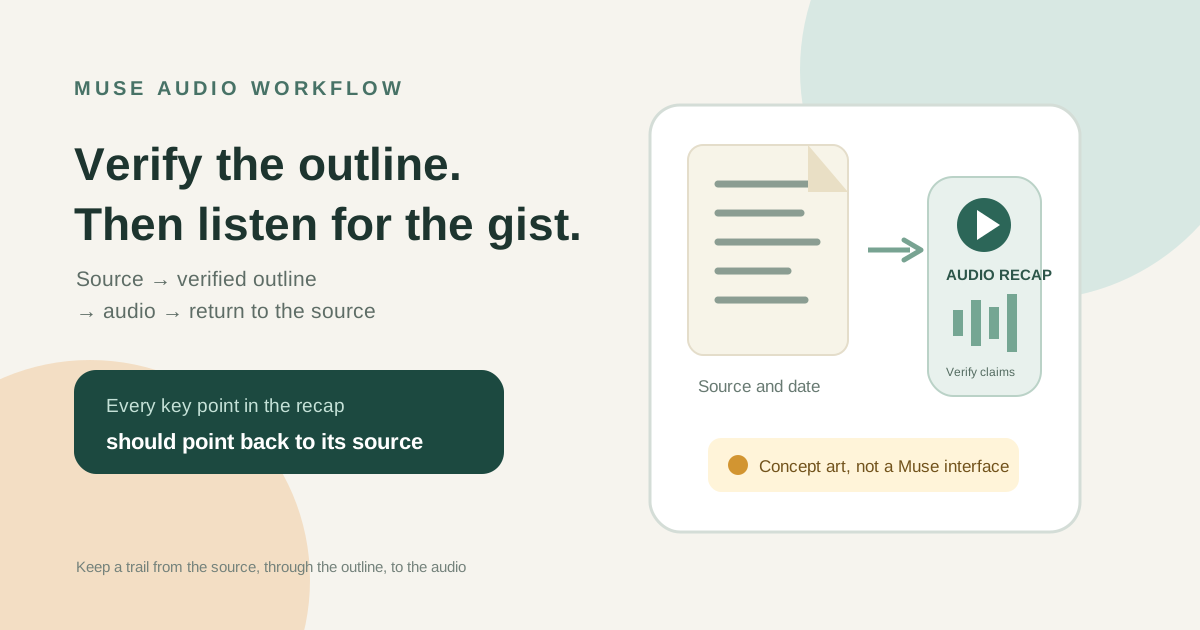
This guide focuses on “Muse audio summary” and turns the question into practical steps you can check.
01 | Check the outline before listening
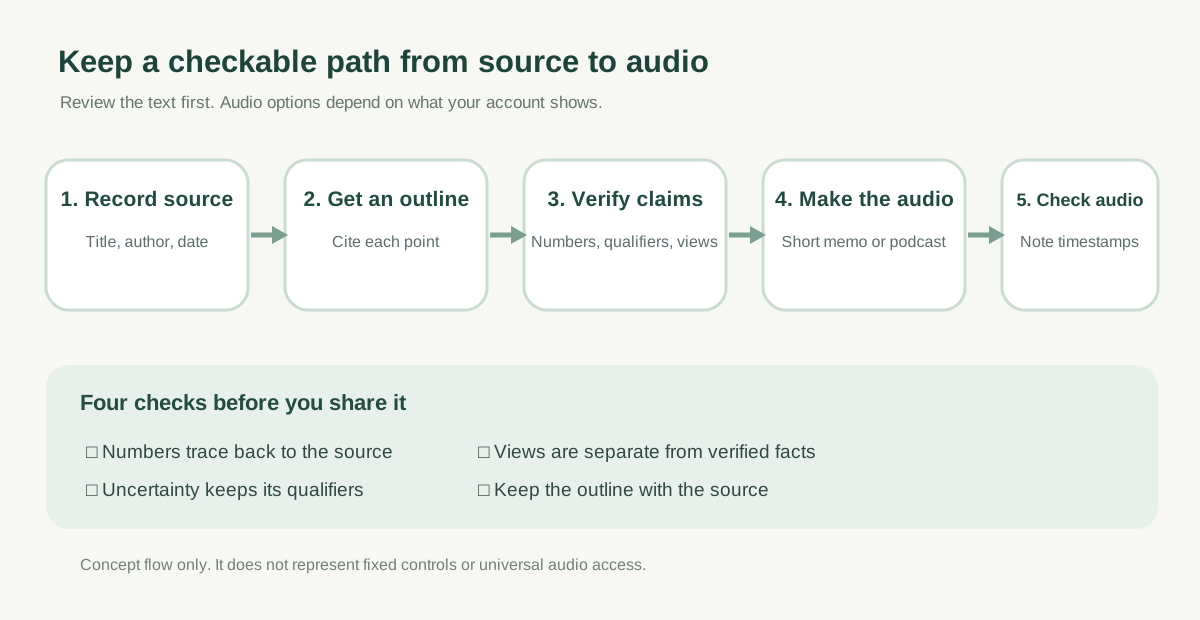
For a long report you want to review on a walk, start with a short outline and then see whether your Muse account can turn it into audio. Keep the notes alongside the original so an unfamiliar number still has somewhere to check.
Paul J Lipsky’s September 27 video shows a voice memo and a podcast-style piece of about six and a half minutes. Meta’s official material describes live voice interaction without specifying access to these audio outputs. This workflow is based on his demo, not a hands-on test by MuseVIP. Try a short piece in your own account first.

02 | Keep the source and its details together
Choose one long webpage or a document you are allowed to use. Record its title, author, publication date, and original URL. If you ask Muse to read the page, first confirm it opened the right version. If it reaches a login wall, cannot open an attachment, or only gets part of the page, provide text you can share in the current chat instead. A search-result title alone does not show that Muse read the full source.
For very long material, work by section and label each part with a heading or page number. That gives you a place to return to if a sentence needs checking. If your account cannot use the file type, switch to a public webpage or text you can provide; do not treat unread sections as summarized.
03 | Ask for a checkable outline before audio
Do not start with audio. Ask Muse for a short outline of what the source says, with a heading, page, or brief source excerpt beside each point. Separate the author’s conclusions, data, someone’s opinion, and Muse’s own inference. Mark any point without a source as unverified.
Prompt to adapt. ‘Using only this material, make a checkable outline. Add the source title and section/page after each point. Separate the author’s conclusions, quoted data, personal views, and your inferences. Do not add facts from outside the source. Label claims without support as unverified, and list any parts you could not read.’
04 | Spot-check numbers, dates, and qualifiers
Open the original and verify important numbers, dates, comparisons, and conditions in the outline. Check whether words such as ‘up to,’ ‘as of,’ or ‘in this sample’ disappeared, or whether a prediction became a fact. Handle one or two points at a time: tell Muse what lacks a source or overstates the source, then ask it to revise the outline with references.
If the source contains competing claims, have the outline show both with their locations. Without the original data or independent evidence, do not ask Muse to pick whichever answer sounds smoother.
05 | Try a short voice memo first
At about 7:13 in his video, Paul demonstrates a voice memo based on a longer Muse response. In the same chat, you can ask Muse to turn the outline you checked into a short spoken recap, keeping source names, dates, and uncertainty. This was the creator’s account; Meta’s official materials do not say that every user can make audio the same way.
Prompt to try: ‘Using only the checked outline above, make a spoken recap of about two minutes. Keep the source names and dates; present the author’s views as views and clearly mark anything unverified. Do not add facts beyond the outline. Also keep the matching text notes so I can check them.’ If the current chat only returns text or no audio result appears, stop at the text version.
06 | Ask for a podcast structure only if audio is available
At about 8:27, the video shows a second example: a podcast-style piece of roughly six and a half minutes on the same research topic, with a player that offered skipping and speed controls. That supports what the creator demonstrated at the time; it is not an official promise that every account can create the same format.
If your Muse does return audio, you can specify the audience, target length, section order, and speaking style while keeping the facts bounded. For example: ‘Turn the checked outline into a five-minute, two-host study audio. Cover the background, three key points, and open questions. Do not invent a second host’s opinions or add facts outside the material. Read numbers and dates clearly. Also provide the matching text outline.’ If that output is not available, keep the checked notes rather than looking for undocumented buttons.
07 | Listen with the source open
While listening, check numbers, dates, names, cited views, and cause-and-effect claims. If you hear a claim you cannot place, note the audio timestamp or line in the text notes and compare it with the relevant source passage. Audio is a faster way to follow the outline; it does not replace the original, especially before sharing data or making an important decision.
If the audio combines two sections or drops a condition, fix the text outline first and regenerate the affected part if your account supports it. Then you can see which source claim the revision is meant to correct.
08 | Save the audio, notes, and source as one set
Keep the original URL, author and date, checked outline, audio creation date, and any open questions together. If your account offers a save or download option, archive the audio using your normal document system. If it does not, at least retain the notes and source link. Before listening again later, check whether the original has changed.
Add unanswered questions to the same outline. On your next pass, fill in the source material and correct the point before making fresh audio. To turn the checked material into a written deliverable, see the Muse report and PDF workflow.
References
These sources support the product information in this guide. Musevip is an independent publication and is not affiliated with Meta.
Last reviewed 2026.10.01. Product pages may change.