
This guide focuses on “Muse Aimerce connector” and turns the question into practical steps you can check.
01 | Investigate one event before blaming the campaign
A sudden drop in Purchase events does not identify its own cause. Store activity may have changed, the date boundary may be wrong, Aimerce may have incomplete coverage, a dispatch may have failed, or Meta may not have accepted the event. The first deliverable is the failed layer, not an automatic campaign, theme, or pixel change.
Aimerce announced its Aima connection for Muse on October 1, 2026. Once connected, Muse uses the ask_aimerce tool for questions about store tracking, pixel health, and attribution. This guide keeps the job to one event-health investigation rather than reconciling Meta Ads, GA4, and store revenue.
MuseVIP did not connect a merchant account. The route, fields, and evidence model below come from current Aimerce and Meta documentation. Every example count is fictional, and the current account, grant, and coverage determine what the tool can actually return.
02 | Use Aima’s connection route and keep the key out of chat
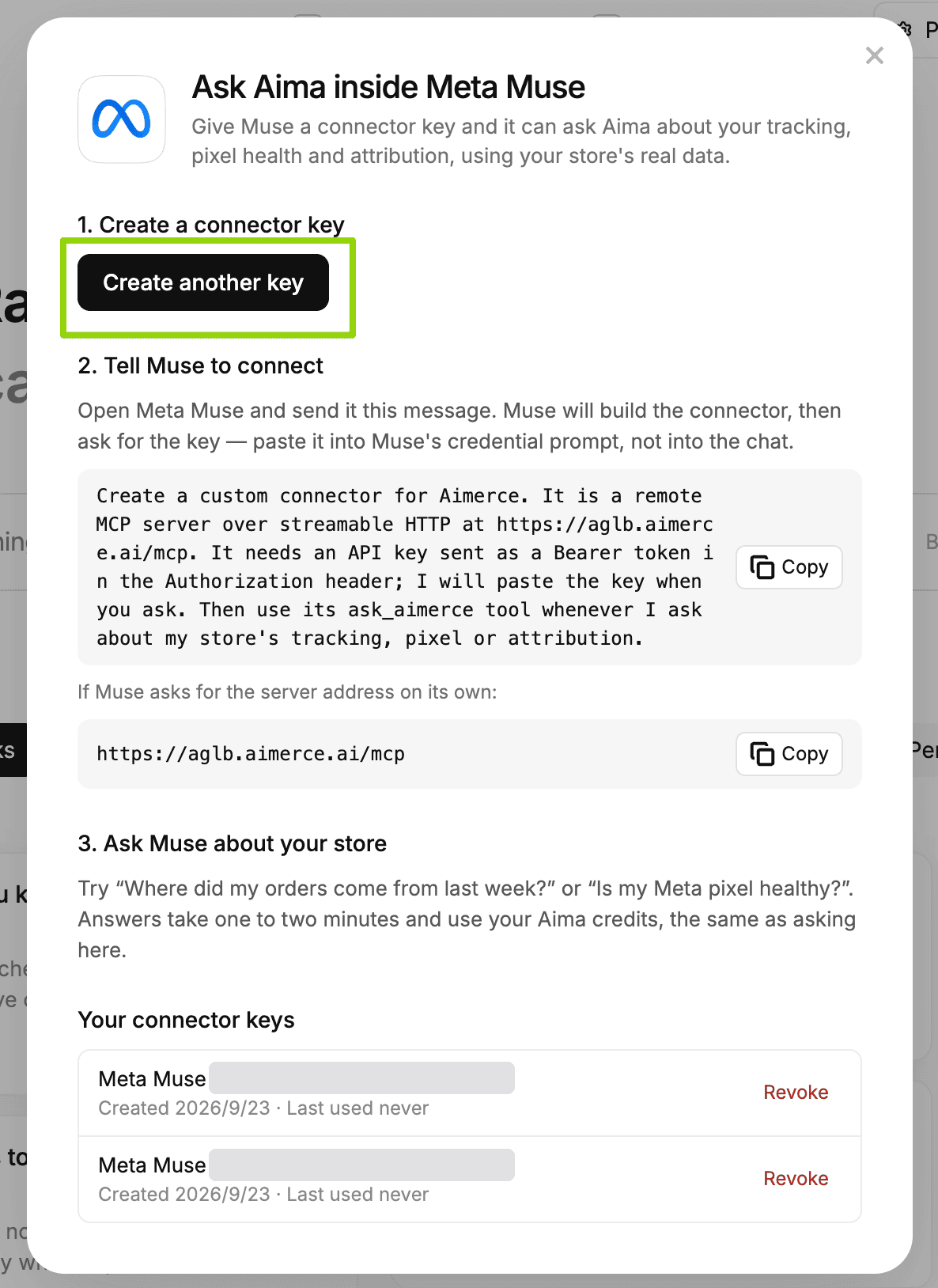
The published route starts in Aima. Open its Muse panel, create a dedicated connector key, and copy the setup message into Muse so it can build a remote MCP custom connector. Aimerce publishes https://aglb.aimerce.ai/mcp as the server and ask_aimerce as the query tool.
Wait for Muse’s separate credential prompt before entering the key. Never place it in a normal conversation, task instruction, or screenshot. Meta says custom-connector API information is stored in its Secure Credentials Store and also warns that Meta does not review custom connectors or how they use information. Review Aimerce’s own terms and privacy boundary before authorizing it.
Create a key for this review rather than reusing an unrelated long-lived credential. The Aimerce Muse panel lists connector-key records and provides Revoke. Questions consume ordinary Aima credits; the announcement does not guarantee identical allowances, latency, or data coverage for every account.
03 | Fix the store, pixel, event, and two complete windows
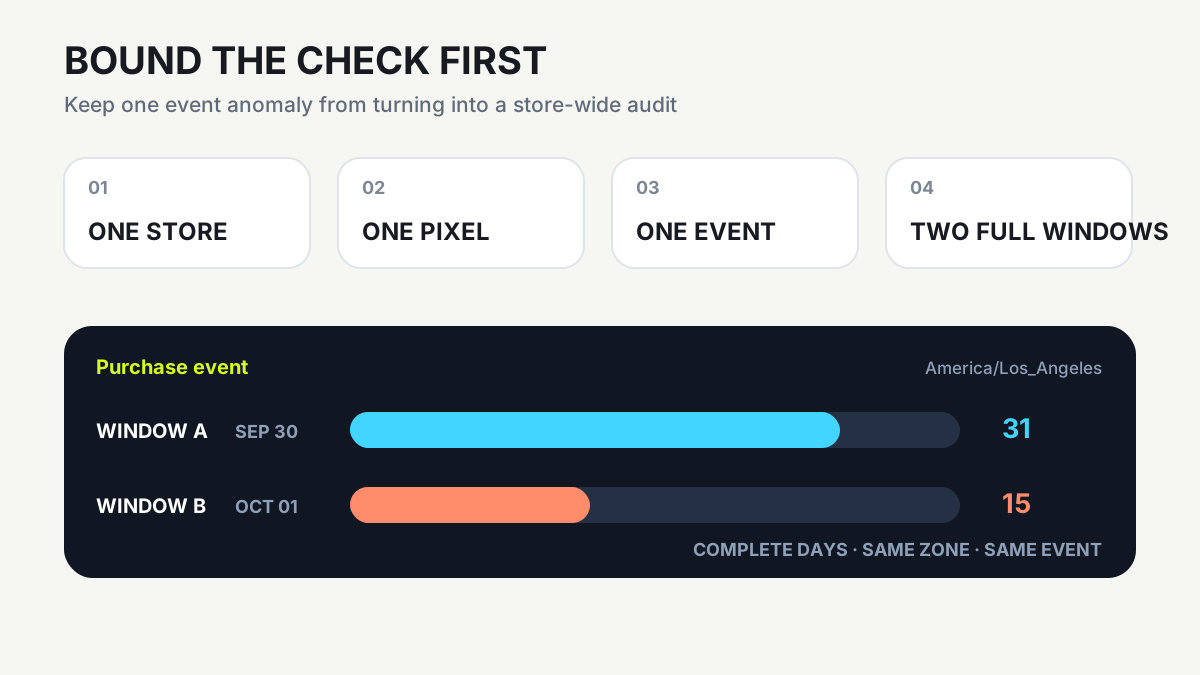
Avoid the broad question “Is my pixel healthy?” Name the store and its timezone, identify the Meta pixel with a safe label or final ID digits, and choose one event such as Purchase. When several stores, destinations, or pixels are visible, ask Aima to state the object it will use and wait for your confirmation.
Compare two finished windows of equal length. Yesterday versus the same weekday one week earlier is often easier to interpret than today versus yesterday. Write both endpoints and the timezone, excluding a day that is still being processed. Aima’s documentation says date coverage is validated and incomplete evidence is labeled Partial or Unknown.
Record what raised the concern: an Aimerce alert, an event-count change noticed by the team, or a message in a screenshot. Preserve the observation without promoting it to a root cause. An alert justifies the check but does not prove whether Pixel, CAPI, Aimerce, or Meta failed.
04 | Make the task concrete with fictional data
Use a labeled teaching case. The store timezone is America/Los_Angeles. Aimerce shows 31 Purchase events for the complete day on September 30 and 15 for October 1, while ViewContent and AddToCart appear near their usual range. These figures belong to no merchant and do not represent an Aimerce alert threshold.
A bounded request can say: Use ask_aimerce only for [store], Meta pixel ending [1234], and Purchase. Compare [2026-09-30 00:00, 2026-10-01 00:00) with [2026-10-01 00:00, 2026-10-02 00:00) in America/Los_Angeles, with each start included and end excluded. First state coverage, sources, and permission gaps. Then inspect event volume, dispatch result, Meta receipt, duplicate evidence, and value, currency, and content_ids parameters.
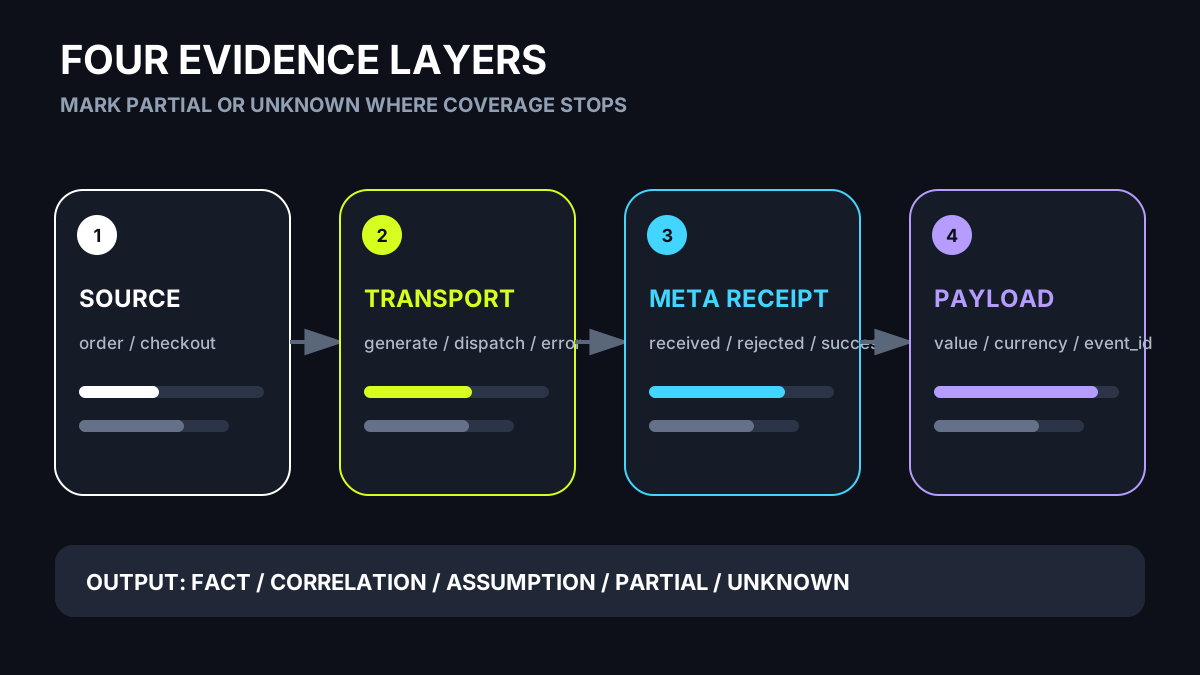
Add the output boundary: Separate source activity, Aimerce transport, and Meta downstream evidence. Label each item Fact, Correlation, Assumption, Partial, or Unknown. Do not change the pixel, reconnect an account, backfill events, edit a campaign or code, or create a schedule. Hide customer identifiers and return an evidence table, possible causes, and the next verification.
05 | Follow the evidence through four layers
Start with the source action. Did the store record the corresponding order or checkout behavior in the same window, event definition, and timezone? Next inspect Aimerce transport: whether an event was generated and dispatched, which pixel it targeted, and whether the request has an explicit failure.
The third layer is Meta receipt. Aimerce says its pixel-health system compares events sent with events Meta reports receiving and monitors API success. The fourth layer is payload quality: value, currency, product or content IDs, plus a consistent event ID when browser and server events need deduplication.
Aima’s evidence update separates source action, Aimerce transport, and Meta downstream behavior. It can use event ID, pixel, request ID, and lifecycle stage in duplicate analysis. When a layer is unavailable or outside the grant, leave it Partial or Unknown instead of inferring an upstream failure from a downstream symptom.
06 | Route the finding without asking Aima to repair it
When source activity, ViewContent, AddToCart, and Purchase all decline, check business context such as traffic, a promotion ending, or store availability. When source activity remains but Aimerce did not generate or dispatch the event, hand the exact window, event, and failure evidence to the tracking owner or Aimerce support.
If Aimerce dispatched the event but Meta receipt or success changed, verify the connection, destination pixel, and returned error. If Meta reports materially more Purchase events than Aimerce sent, investigate another plugin or pixel and whether browser and server events lack a shared event ID.
Normal volume with widespread missing value, currency, or content IDs points to payload quality. Aimerce lists those fields in its data-quality checks. Give each supported finding one owner and one validation action. Aima’s published scope is diagnosis and recommendation; campaign spend, email flows, and tracking implementation remain human decisions.
07 | Verify the source and run one bounded recheck
Open the corresponding tracking or pixel-health area in Aimerce and spot-check the pixel, event, timezone, and dates used in the answer. Preserve Aima’s Fact, Correlation, Assumption, Partial, or Unknown labels. A possible duplicate should remain a candidate when it is handed to another person.
Have an authorized owner inspect the same receiving period and diagnosis for that pixel in Meta’s event source. Record the extraction time and stay within the selected pixel and event. A connection, theme, app, or CAPI change belongs in a separate change request with an owner, rollback, and verification condition.
After a fix or permission correction, rerun the same event, timezone, and window length for one complete period. Success can mean the explicit error is gone, required parameters returned, or dispatch and receipt evidence agree again. Do not delete records to make totals look closer or invent historical events.
08 | Deliver one diagnosis sheet and remove temporary access
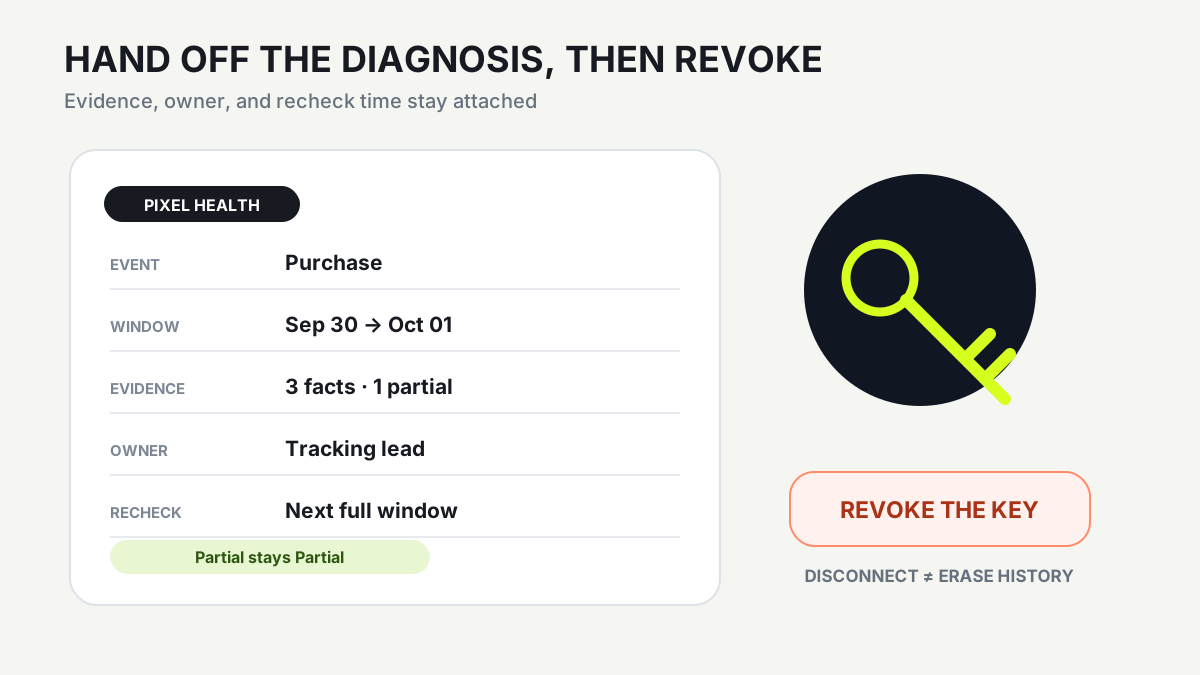
Keep the handoff to one page: store, pixel, event, windows, the original observation, evidence from each layer, Partial or Unknown gaps, reasoning, owner, and recheck time. Include the relevant Aimerce location or source link while keeping personal data and credentials out of the document.
For a one-time review, revoke the dedicated connector key in Aimerce and disconnect the custom connector in Muse. Meta says disconnection stops later data exchange, while information already used for a task can remain in Muse conversation history or memory and requires a separate review.
Move to the Ads and GA4 reconciliation guide when the real question concerns differing reporting definitions across systems. Once the event issue is supported, the small-business weekly brief can carry the owner and recheck date without turning this pixel diagnosis into a full marketing conclusion.
References
These sources support the product information in this guide. Musevip is an independent publication and is not affiliated with Meta.
- [1] Aimerce | Aima Now Works Inside Meta Muse
- [2] Aimerce | Aima Evidence, Confidence, and Gaps
- [3] Aimerce | How We Monitor Pixel Health
- [4] Aimerce | How Aimerce Watches Your Tracking
- [5] Aimerce | Meta Pixel Event and Parameter Checks
- [6] Aimerce | Server-side Tracking Failure Modes
- [7] Meta | How Muse Works with Connectors