
This guide focuses on “Muse Goals” and turns the question into practical steps you can check.
01 | Your first version of the goal is probably too large
Finding a job, losing weight, starting a business, or earning a monthly side income can generate a polished plan with no useful first day. The problem shows up when you reopen it tomorrow and still cannot name the next action or the evidence that would count as progress.
Shrink the goal into a four-week test. Four weeks is long enough to produce something real and short enough to remember why you started. Write down an end date, the hours available each week, the evidence you expect, and the actions that require your approval.
02 | Know what belongs in the Goals tab
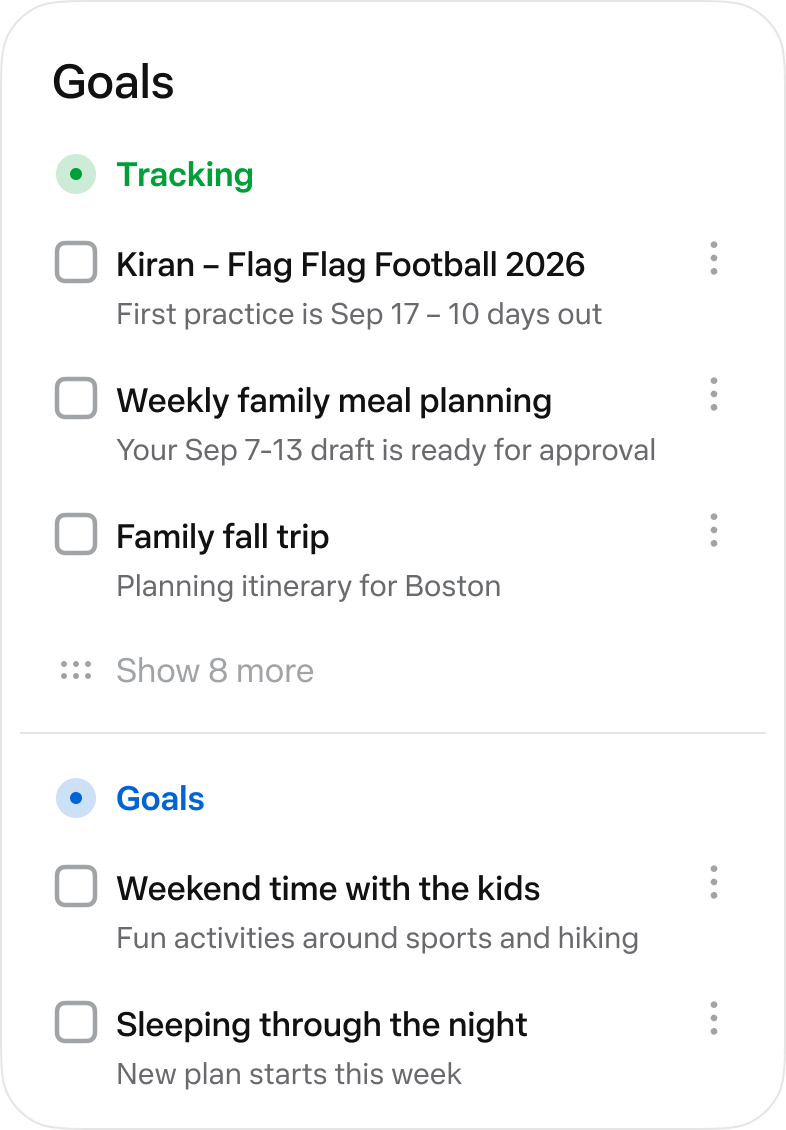
Meta says Muse can break goals into actionable plans. The Goals tab keeps the things it is tracking and the plan for reaching them in one place. You can edit the Goal there or continue the discussion in chat. Meta's official tour also shows a lightweight status, more details, and a fuller timeline.
Goals can emerge from your conversations. Read the title, deadline, and scope before you let a new card run. Correct a passing idea that became a long-term commitment or a date Muse misunderstood. Labels and controls can differ by account, region, and release, so this guide reflects Meta's public material as of September 29, 2026.
03 | Build one four-week Goal with a concrete example
Suppose you want to offer short-form video editing to small businesses. A first draft might say you want to earn $5,000 a month. Muse cannot guarantee that outcome because pricing, demand, and client decisions sit outside the plan. A better four-week Goal is to choose one service, publish one sample page, research 15 suitable businesses, and complete a first round of outreach after you approve every message.
Week one compares ten similar services and records deliverables, price presentation, and revision limits. Week two produces one sample and a simple page. Week three builds a list of 15 businesses with a reason each might be relevant. Week four sends the messages you approve and separates replies, declines, and no responses.
The evidence is visible. You can open the sample page, inspect the prospect list, and check the sent records. The original income target may still be uncertain, but you now have real feedback for deciding whether to continue, change the offer, or close the Goal.
04 | Keep only three actions in the current week
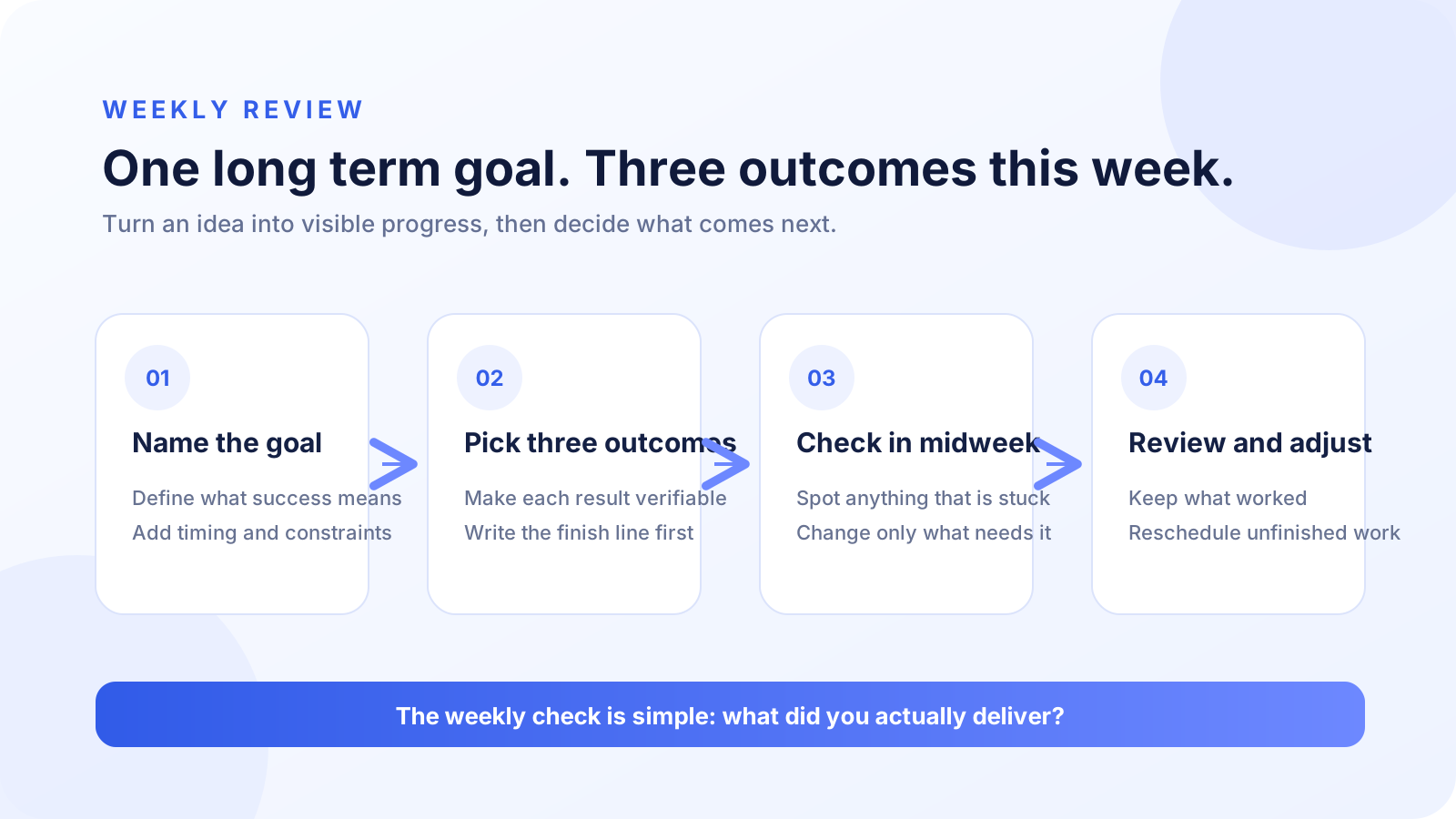
Keep the four-week milestones, but expand only three actions for this week. Give each action a time estimate, an owner, a dependency, and visible evidence. Research should end in a source table. A sample page needs a URL you can open. Outreach needs a sent record you can inspect.
The list has to fit your actual calendar. If you have five hours, do not accept a ten-step plan. Remove work that depends on missing access, an unresolved decision, an unknown time commitment, or a purchase you have not approved. Pull another action forward only after the first three are complete.
05 | Ask for evidence during the week
A vague question such as how is it going can produce an equally vague status. Start with the short status on the Goal. Open the detail view and timeline when you cannot tell what changed or why Muse marked progress. Ask it to show the file, link, or record behind the update.
A useful check identifies the current blocker, the owner of the next action, and any assumption that changed. Pause if the plan suddenly introduces a login, a fee, or a batch of outgoing messages. Time already spent on the Goal is not a reason to approve a new step you do not understand.
A Goal status describes work inside Muse. The external service holds the final result. Check the Sent folder for email, the calendar for an event, the confirmation page for a form, and the actual file for a deliverable. Use the Muse activity log guide when you need a deeper review of actions and permissions.
06 | Put the weekly review at a time you can keep
Choose a time that survives a normal week. If Sunday night always gets crowded, use Friday afternoon or Monday breakfast. If scheduling is available in your account, create one weekly review. If you cannot find that control, add a calendar reminder and begin the review in chat.
Meta says Muse can work on a schedule, but its public material does not promise one Scheduled Tasks path for every account or automatic binding between a schedule and a Goal. Keeping the important review in your own calendar is safer than depending on a proactive message alone.
07 | Make four decisions in the review
A weekly review should not move every unfinished item forward unchanged. An action that survives two reviews without moving usually needs to be smaller, different, or removed. Reduce proactive messages or turn off the relevant notification if the review is creating noise.
- Check whether completed actions have a file, link, sent record, or external page you can inspect.
- Identify whether unfinished work is blocked by time, missing information, access, or a step that no longer matters.
- Recheck outside conditions such as prices, open roles, application dates, or other facts the plan depends on.
- Choose the next three actions and decide what to delete, postpone, or handle yourself.
08 | Define when to pause or close the Goal
Pause and rescope after two review cycles without verifiable progress. Stop before payments, bulk outreach, form submissions, or account permission changes. Recheck sources when prices, job listings, application dates, or health information change.
Close or archive a Goal that no longer matters. Stale goals can keep influencing later suggestions. When the outcome changes, review any related memory and reminders too.
09 | A prompt you can copy
I want to complete one verifiable goal over the next four weeks. My goal is [goal], and I can spend no more than [hours] each week. I already have [resources]. Restate the outcome, deadline, evidence, and constraints before proposing milestones. Keep only three actions in the current week, with an estimate, dependency, and evidence for each. Stop for my approval before paying, sending, submitting, purchasing, or changing account permissions. Review the Goal with me every [day and time], then reduce or adjust the next week's work based on evidence.
Read Muse's restatement before accepting the plan. Ask it to shrink a four-week test that turned into an open-ended project or a first-week list that grew past three actions. Keep the work read-only until you approve the plan.
10 | Common questions
- No Goal appears after the conversation. Ask Muse to track the work as a four-week Goal, then check whether your current version includes the Goals tab.
- The plan is too full. Set weekly hours as a hard limit and keep three actions that can finish this week.
- The status claims progress without evidence. Open the timeline and verify the email, calendar item, file, form, or service record.
- An automatically created Goal is inaccurate. Edit its title, scope, and date, or correct it explicitly in chat when direct editing is unavailable.
- You do not know how many Goals to start. Run one Goal through a full weekly review before adding a second. That is a MuseVIP practice recommendation, not a Meta product limit.
11 | Make the first Goal easy to read
Pick one outcome you are willing to spend time on for the next four weeks. Add the end date, weekly hours, and evidence, then generate only three actions for the current week. The Goal is usable when you can explain the evidence behind every status and know what to keep or remove at the review.
References
These sources support the product information in this guide. Musevip is an independent publication and is not affiliated with Meta.
Last reviewed 2026.09.29. Product pages may change.