

This guide focuses on “Muse customer service” and turns the question into practical steps you can check.
01 | Let Muse handle the legwork, then verify the outcome
Finding a cancellation page, waiting for support, and explaining the same problem twice can eat up an afternoon. Meta lists browser-based customer service, forms, and appointments as Muse use cases, with the option to take over. In a community thread, one user described getting through to a human representative with Muse. Others said phone dialing was not available in their accounts.
That makes a smaller first goal sensible. Ask Muse to gather the details, find the official channel, and prepare what you want to say. Come back before anything is sent or agreed. Someone else's phone-call story does not establish that the feature exists for you, or that a refund will succeed.
02 | Write down the request before opening a chat
Make a short note with the company, approximate order or service date, what happened, your earlier contact attempts, and the outcome you want. Keep the receipt, confirmation email, and relevant terms nearby so you can provide only what is needed.
Do not paste a password, one-time code, full payment-card number, or identity document into the conversation. If the company needs identity verification, use its official process and do that step yourself. Eligibility for a refund or cancellation comes from the service terms and applicable rules, not from an agent's promise.
03 | Find the company's real support channel
Ask Muse to start at the company's official website and list its chat, help center, cancellation page, or published phone number. Keep the source page and date checked. A search advertisement or third-party help number is not proof of an official contact point.
If web chat is available, ask to see the first message before it is sent. The message should say what the company needs to locate the case, what happened, and what outcome you want. Do not let an agent add unsupported accusations, legal claims, or losses you never reported.
04 | Treat phone dialing as account-dependent
One forum user said Muse dialed a business and handed over after reaching a person. Other commenters reported that their accounts could not place calls. Meta's current productivity page clearly describes browser-based customer service and handoff; that is not a promise that phone dialing has reached everyone.
If your interface offers calls, inspect the number it plans to dial, its opening statement, and the handoff point. If it does not, have Muse prepare your notes and questions, then place the call yourself. Take control before agreeing to new terms, changing a plan, confirming cancellation, or sharing private information.
05 | A support prompt you can reuse
Replace the brackets with facts from your own case. The first output should be a plan and a draft for your approval.
- I need help with [company or service] about [cancellation, refund, or billing issue]. The relevant date is [date], the facts are [brief facts], and the outcome I want is [specific result].
- Find the official support, cancellation, or refund channel from the company's website and show the source page. List any missing evidence without inventing order numbers, amounts, or policies.
- Draft a short support message for me to review. Do not send it, submit a form, accept new terms, cancel a service, or agree to compensation without my approval.
- If this account supports business calls, show the official number and opening script before dialing, then hand over when you reach a person. If not, give me a short calling checklist.
- At the end, list the case number, confirmation message or page, and the cancellation or refund status that I still need to verify myself.
06 | A completed task is not the same as a completed refund
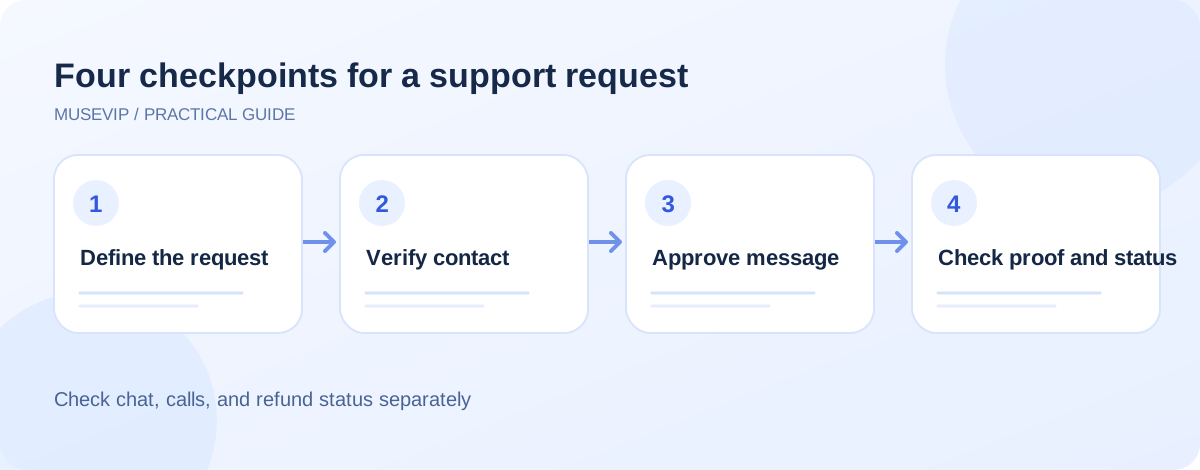
For a cancellation, check the status in the original service account and save the confirmation email or case number. For a refund, separate three stages: the company accepted the request, it issued the refund, and the payment provider posted it. A chat transcript or agent summary alone proves none of those final stages.
If support gives a follow-up date, note it and return to the same case. Opening another case immediately can create duplicate actions or confusing answers. When Muse hits a verification code, login wall, unavailable call feature, or identity check, take over and confirm whether it submitted anything before it stopped.
07 | Stop and take over when
- The link or phone number cannot be verified on the company's official site.
- A page asks for a password, one-time code, full payment details, or identity document before you understand why.
- The agent is about to admit fault, accept an amount, change a contract, or send wording you have not read.
- Muse reports a refund or cancellation, but the original account, confirmation email, and payment record do not show it.
References
These sources support the product information in this guide. Musevip is an independent publication and is not affiliated with Meta.
Last reviewed 2026.09.29. Product pages may change.