
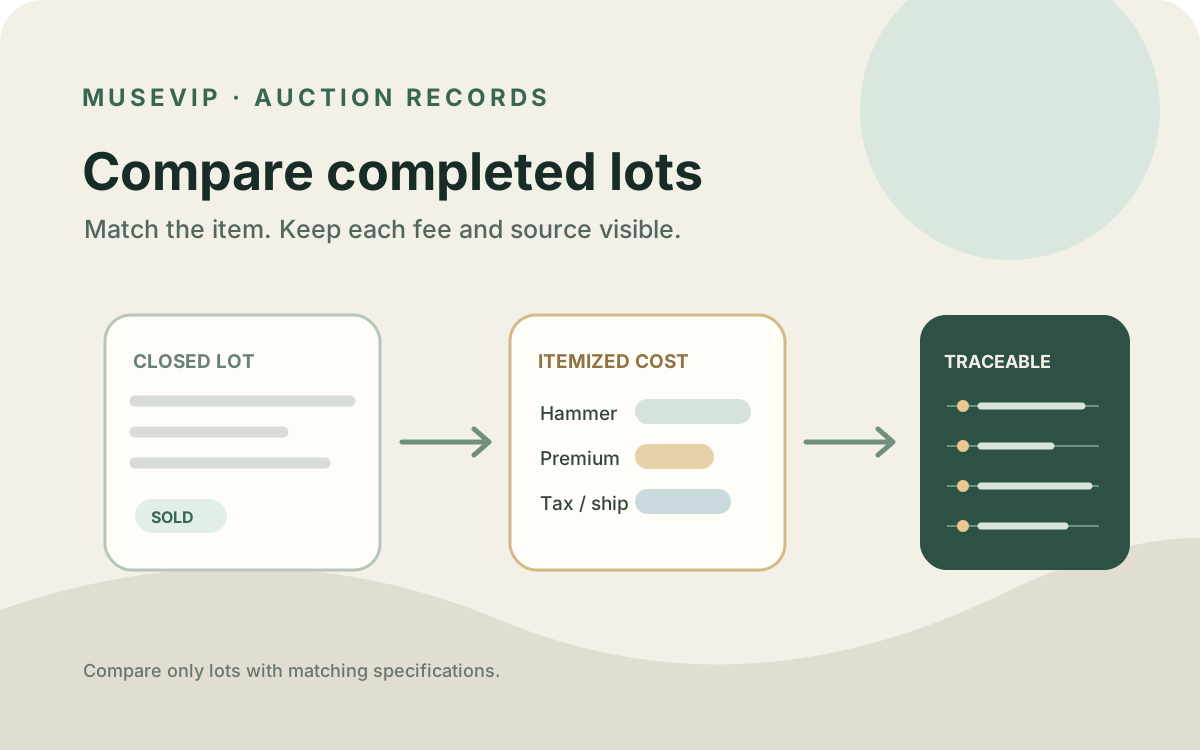
This guide focuses on “Muse auction results” and turns the question into practical steps you can check.
01 | Start with completed sale records
A user recently described asking Muse to compare local auction-history bids with MSRP. The post did not name an auction operator, so it is a use-case lead rather than proof of direct access to any specific archive. This guide turns that question into a source-checkable workflow; its product and arithmetic examples are illustrative.
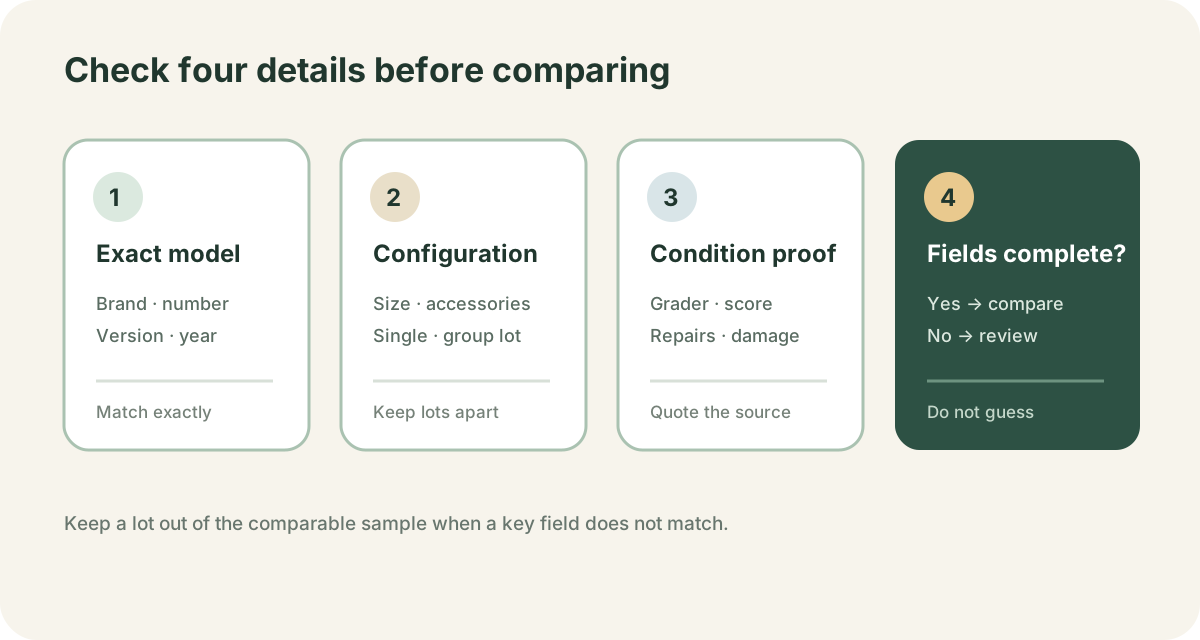
Choose one exact target, such as a brand, full model number, and version. Collect only completed lot pages or results published by the operator. A live bid, current high bid, estimate range, or fixed-price listing is not a historical sale. If a page requires sign-in, hides key fields, or does not state its result status, mark it “unconfirmed” and leave it out of the sold sample.
02 | Check what Muse can actually open
Meta’s Muse overview says the agent can browse the web and handle multi-step tasks. Meta’s safety write-up says Muse uses a dedicated browser sub-agent to read pages, navigate, and fill forms; users can see the browser and take over. A page can still be inaccessible or misread.
Give Muse one or two public result pages that do not require sign-in and ask it to return the original fields and links in read-only form. If it encounters a login, CAPTCHA, paywall, or regional block, open the page yourself or use a results file the operator allows you to download. Do not ask it to bypass restrictions, and do not put account passwords in an ordinary prompt.
03 | Match configuration and condition as well as the title
Similar titles do not always mean the same object. Compare maker, model number, version or year, size, material, capacity, grading service and score. Record whether the lot is one item or a group, whether accessories are included, and whether repairs or damage are disclosed. A multi-item lot is not directly comparable to a single-item retail price.
Christie’s glossary defines a lot as an object or group offered as one unit and a condition report as a specialist department’s written description of condition. Keep listed facts separate from your own judgment. If a serial number or grading certificate is not visible, mark it for follow-up instead of guessing from a photo.
04 | Separate the hammer price from the displayed result
Christie’s defines the hammer price as the final bid announced when the auctioneer’s hammer falls, excluding the buyer’s premium. Its glossary defines price realized as the hammer price plus the buyer’s premium. A lot that misses its reserve may still have a final bid recorded while remaining unsold. Save the page’s exact label, number, and sold or unsold status together.
Operators can display results differently. A Heritage lot page can show the sale date, that lot’s buyer’s premium, and a Sold on amount. Its archive guidance says that, for auctions charging a premium, realized prices include the hammer price and premium, with a notation for whether a lot included the premium. Do not infer what a field means from its label alone. Read that operator’s definition, then save the raw number and its pricing basis separately.
05 | Recheck the premium for that sale
A buyer’s premium is commonly added to the hammer price. It can vary by location, category, price tier, and sale. Christie’s current schedule lists tiers by site and category and notes that local taxes may also apply. Sotheby’s likewise directs buyers to the Conditions of Business for the relevant sale. Never apply one auction’s premium to another operator or event.
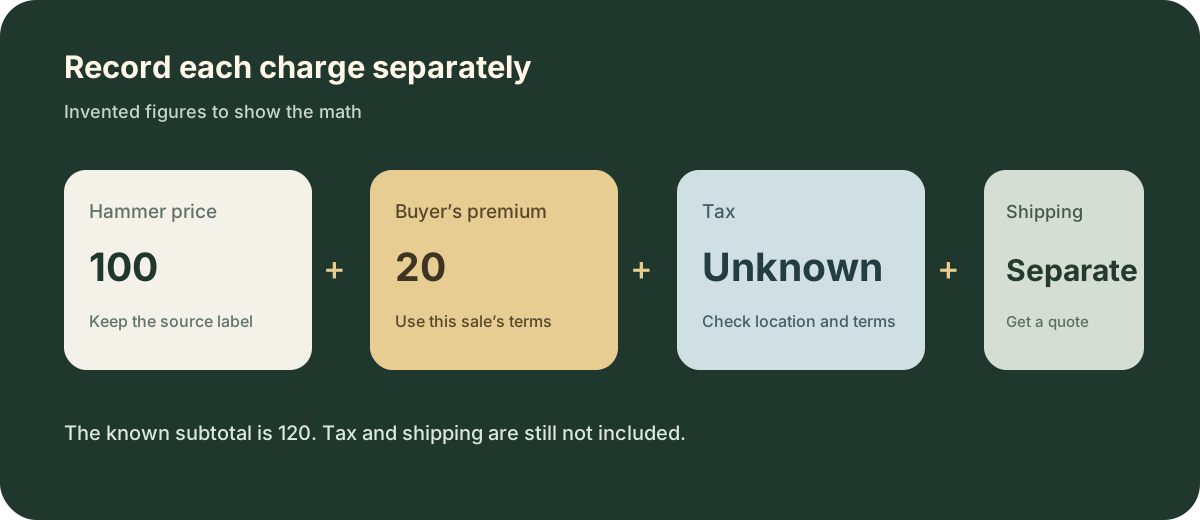
Keep platform surcharges, taxes, shipping, or collection charges in separate columns. Christie’s says a final invoice may include the hammer price, buyer’s premium, and taxes; sales tax may depend on the delivery destination, and shipping can require a separate quote. If a source does not publish a charge, write “unknown” instead of treating it as zero.
The diagram below uses invented numbers. If a hammer price were 100 and the premium were 20%, the premium would be 20 and the subtotal would be at least 120 before unconfirmed tax or shipping. For a real comparison, use the rules for that sale and the buyer’s destination.
06 | Learn to trace each field on a public lot page
A Heritage lot page for The Avengers #196 records an auction date of October 21, 2025, a displayed sold amount of $159, and a 20% buyer’s premium on the successful bid for that lot. It also lists the CGC grade, page-color description, lot details, and a grader note. Use it to practice recording the lot number, date, grade, price field, and premium terms separately.
That page does not replace an invoice or tell you your tax and delivery cost. Return to the source to confirm the result field’s definition. A useful comparable also needs the same grade, edition, and included items. One lot is one row of evidence, not a market trend.
07 | Give Muse a narrow read-only assignment
Pick one brand and exact model, set a date range, and provide only public result pages that do not require sign-in. Adapt this prompt to your item.
“Read only the public auction result pages I provide. The target is Brand A, Model X, Version Y, from January 2025 through September 2026. Include completed pages only and preserve each page’s exact sold, unsold, or other status. For every page, return the operator, sale name, auction date, lot number, title, full specifications, quantity, condition and repair notes, the raw price label and amount, the operator’s definition of that price, the buyer’s-premium terms, tax and shipping details, and the source URL. Do not treat a live bid, estimate, or current listing as a sale. Enter unknown for fields the source does not provide. Stop if a page requires login or CAPTCHA, or if its price basis is unclear. Do not sign in, bid, buy, contact sellers, or change records.”
First ask Muse to report which pages and fields it can actually see. Its browser does not mean your account has an auction-house connector or access to signed-in history.
08 | Verify the rows before comparing them with retail
Open each source link and confirm the lot status, auction date, number, specifications, and condition. Read the fee definition again. Check for the same object appearing twice, grouped lots, and unsold records. Keep a disputed or unclear row with a note, but exclude it from a summary until you can resolve it.
List comparable sold lots by date while preserving the raw page amount, pricing basis, and separate fees. For retail, record the exact model, stock status, lookup date, sales region, and warranty terms. With a small sample, say “these records show” rather than presenting a precise market value. Auction history can help check public past results; it cannot promise a future result or decide whether someone should bid or invest.
For current retail listings and price alerts, continue with the Muse shopping price-tracking guide.
References
These sources support the product information in this guide. Musevip is an independent publication and is not affiliated with Meta.
- [1] Meta AI Muse features and capabilities
- [2] Meta AI Research How We Built Safety Into Muse
- [3] Christie's Auction Terminology Glossary
- [4] Christie's Understanding Auction Fees
- [5] Christie's Buyer Premium Schedule
- [6] Christie's Payment and Shipping
- [7] Sotheby's Buyer Premium Terms
- [8] Heritage Auctions completed lot and comparable results example
- [9] Heritage Auctions result and premium example
- [10] Heritage Auctions archive price-realized definition