
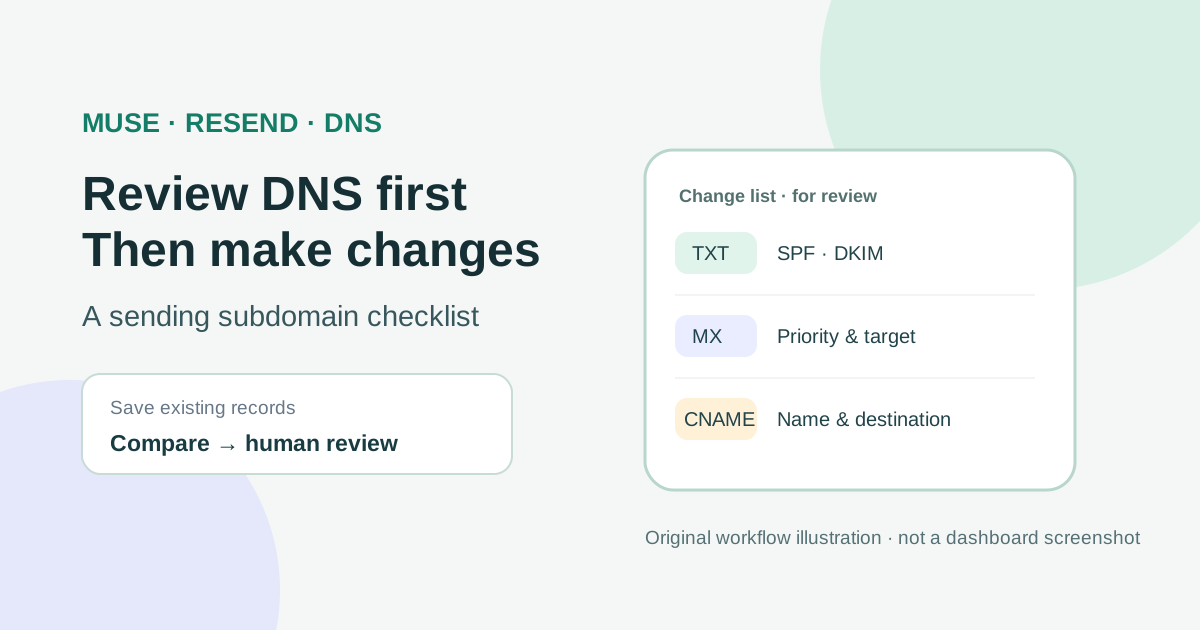
This guide focuses on “Muse Resend” and turns the question into practical steps you can check.
01 | Separate sending from the mail you already use
First decide which domain to add in Resend. If you add example.com, the default return path is send.example.com. If you add the dedicated sending subdomain mail.example.com, its default return path is send.mail.example.com. These names are examples. The return path is a separate subdomain under the domain you add, and Resend lets you choose a custom return-path name. Check whether that name is already used in your DNS zone. Use a zone you own and administer.
The records Resend generates depend on the domain configuration and enabled capabilities. You may see SPF, DKIM, MX, or other records. Do not copy values from a tutorial, search result, or someone else's screenshot. Use the exact rows displayed for your own domain in Resend.
02 | Confirm who hosts the authoritative DNS
The registrar and the DNS provider are not always the same company. Check the domain's nameserver delegation to see whether Cloudflare or another provider answers for the zone. Make changes only in the authoritative DNS console. Do not change nameservers just to verify sending.
Before editing, export the DNS zone or save each existing row, including type, name, target or content, TTL, MX priority, and proxy status. Mark the website's A, AAAA, and CNAME records, existing MX and root SPF, DKIM, and any Cloudflare Email Routing records. Keep this snapshot for comparison and rollback; do not paste the full zone file into a chat.
03 | Ask Muse for a change list, not an unreviewed edit
Meta says Muse can browse the web, work through multi-step tasks, and let users set permissions, review activity, and approve actions. Public posts also describe individual attempts to connect a domain and Resend with Muse. Those reports do not establish the permissions, interface, or outcome available in your account. Use Muse to organize and compare records, not as your DNS administrator.
Copy the current required rows from Resend and give Muse a redacted snapshot of the existing DNS. Try this prompt. Compare only the Resend DNS requirements and the current records I provide. Return a review table with record type, full name, target or content, TTL, MX priority, whether a record of the same name and type already exists, possible conflicts, and the source row. Do not sign in to another account, create, edit, or delete records, or click Verify. Mark any mismatch as unresolved.
If Muse does not have a safe browser access path or you cannot see the exact action to approve, enter the records manually in the authoritative DNS console. Never put a Resend API key, Cloudflare API token, password, or sign-in code in an ordinary prompt.
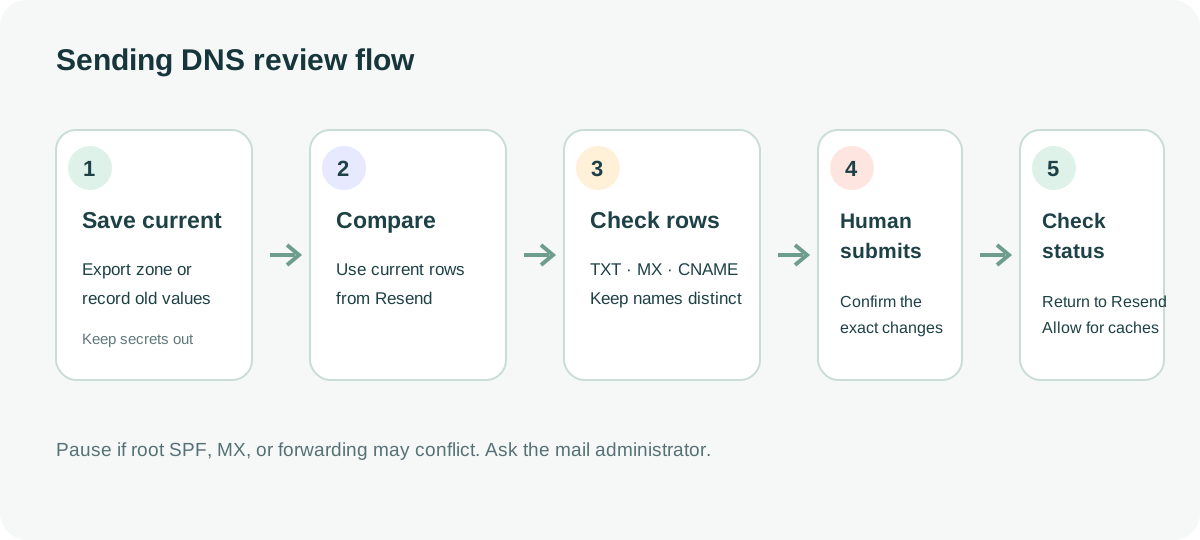
04 | Keep TXT, MX, and CNAME distinct
TXT stores text and is commonly used for SPF, DKIM, or domain ownership checks. MX points to a mail server and has a priority. CNAME points one name to another name. Resend may show different types for different purposes. An MX row is not a CNAME, and a DKIM name is not an SPF value.
A DNS console's Name or Host field may accept only a subdomain label or a full hostname. Follow that console's instructions and check the saved fully qualified name for a duplicated zone suffix. Enter priority only on an MX row. Paste TXT content exactly as Resend displays it; do not add quotes, line breaks, or alter capitalization yourself.
Cloudflare MX and TXT records cannot be proxied. CNAME records used for email authentication or third-party verification should also be DNS-only as required by the provider. Do not apply the orange-cloud setting for a website to mail records.
05 | Stop if SPF conflicts
SPF is a policy published as TXT. RFC 7208 allows one SPF policy at a given fully qualified name. Multiple SPF records at that same name can cause receivers to return permerror. The root and sending subdomain are separate DNS names, so check the SPF at the exact owner name in question. The root SPF record may already authorize existing mail senders, so do not replace it for Resend or add another v=spf1 row beside it.
Resend's return path defaults to send and can be customized. Resend says SPF and MX use that location, and that send may already be occupied by another service. Check for actual conflicts. If Resend asks for a root SPF change, or you do not know which services rely on it, stop at the draft and ask the mail administrator whether to merge the policy or use a supported dedicated return path.
06 | Review every field before saving
Compare the proposed rows with your saved snapshot. Check type, full hostname, target, TTL, MX priority, and Cloudflare proxy status on each row. Confirm the proposed change does not touch root MX, existing SPF, website records, or unrelated mail forwarding. Cancel and investigate if a row is unexplained, a same-name record conflicts, or the list no longer matches Resend.
Submit only the specific rows you can trace to Resend's current instructions, using an account authorized to manage that DNS zone. Compare the saved records with the approved list before returning to Resend to check verification. Keep any email test as a separate task with its own reviewed recipient and content.
07 | Return to Resend and check each status
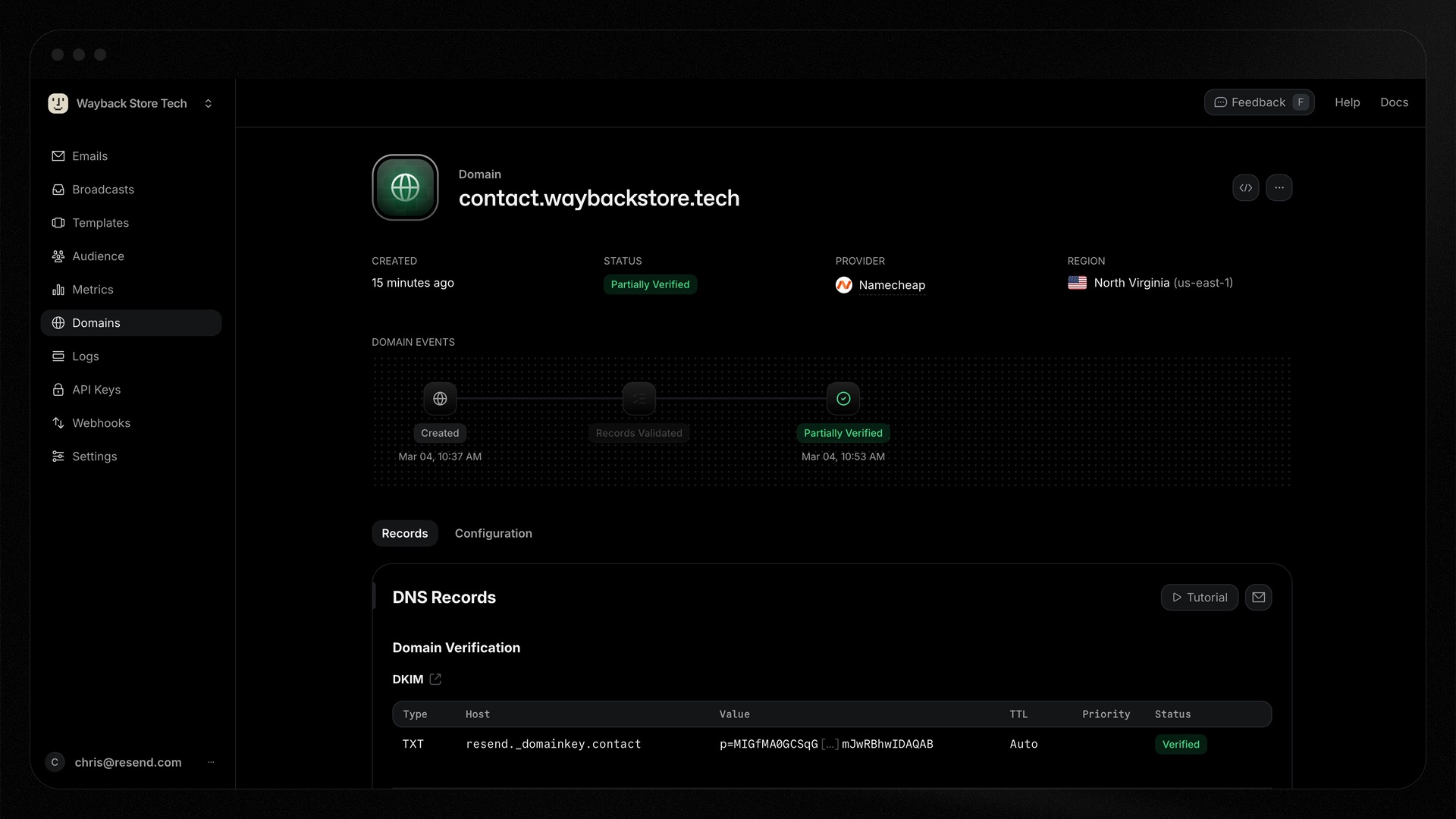
After a change, open the Resend domain details and see which DKIM, SPF, or MX row is missing or incorrect. In 2026 Resend updated its verification timeline and specific error messages, and it supports partial verification when only sending or receiving is configured. A domain set up for sending alone may not show every receiving record. The image below is a Resend-published partial-verification example. Its domain and record values are illustrative, so do not copy them. It shows Resend, not a Muse test.
DNS caches and provider propagation times vary. Cloudflare's TTL is only one part of recursive DNS caching. Five minutes does not mean every resolver has updated or that Resend will finish verification in five minutes. Wait, then check the record named in the status. Do not keep adding duplicates because a status remains pending. Resend's own DNS checker targets its required records more directly than a generic public lookup.
08 | Keep rollback notes and separate DNS from sending
Record the rows added or changed, who made the change, when, the Resend status, and anything still unresolved. To roll back, remove only rows confirmed to have been added for this change. Restore edited values from the before snapshot with a DNS administrator's review. Do not delete unfamiliar MX, SPF, DKIM, or forwarding records unless their purpose is confirmed.
DNS verification only means Resend recognizes the relevant configuration. It does not confirm your email content, recipient list, bounce handling, or sender identity is ready. Before sending, confirm product authorization, a test inbox, and message content, then let the responsible person decide whether to send. Continue with the Muse email send-approval guide when you are ready to review a message.
References
These sources support the product information in this guide. Musevip is an independent publication and is not affiliated with Meta.
- [1] Resend: Domain verification events
- [2] Resend: Custom return path
- [3] Resend: Improved DNS detection and troubleshooting
- [4] Resend: Domain claim
- [5] Cloudflare: Proxy status use cases
- [6] Cloudflare: Email issues
- [7] Cloudflare: TTL reference
- [8] RFC 7208: Sender Policy Framework
- [9] Meta AI: Muse
- [10] Meta Help Center: How Muse works with Connectors