
This guide focuses on “is Muse safe” and turns the question into practical steps you can check.
01 | Separate product design from your own risk decision
Meta says Muse runs in a dedicated virtual machine and provides controls for reviewing memory, managing connections, and confirming sensitive actions. Those descriptions help explain the design, but they are still the vendor’s account of its product. Read the current privacy notice and the permission prompts in your own app before sharing personal information.
02 | Give each connection only the access it needs
A research task usually does not need permission to send mail or place an order. Before connecting a service, check what Muse can read, what it can change, whether information may be retained as memory, and how to revoke access. Permissions can change between releases, so an old screenshot is not enough.
03 | Keep confirmation for actions that affect others
Meta’s official product page uses an order approval card to illustrate an action that should be reviewed before it is approved. Treat it as a product illustration, not proof that every connector uses the same screen.
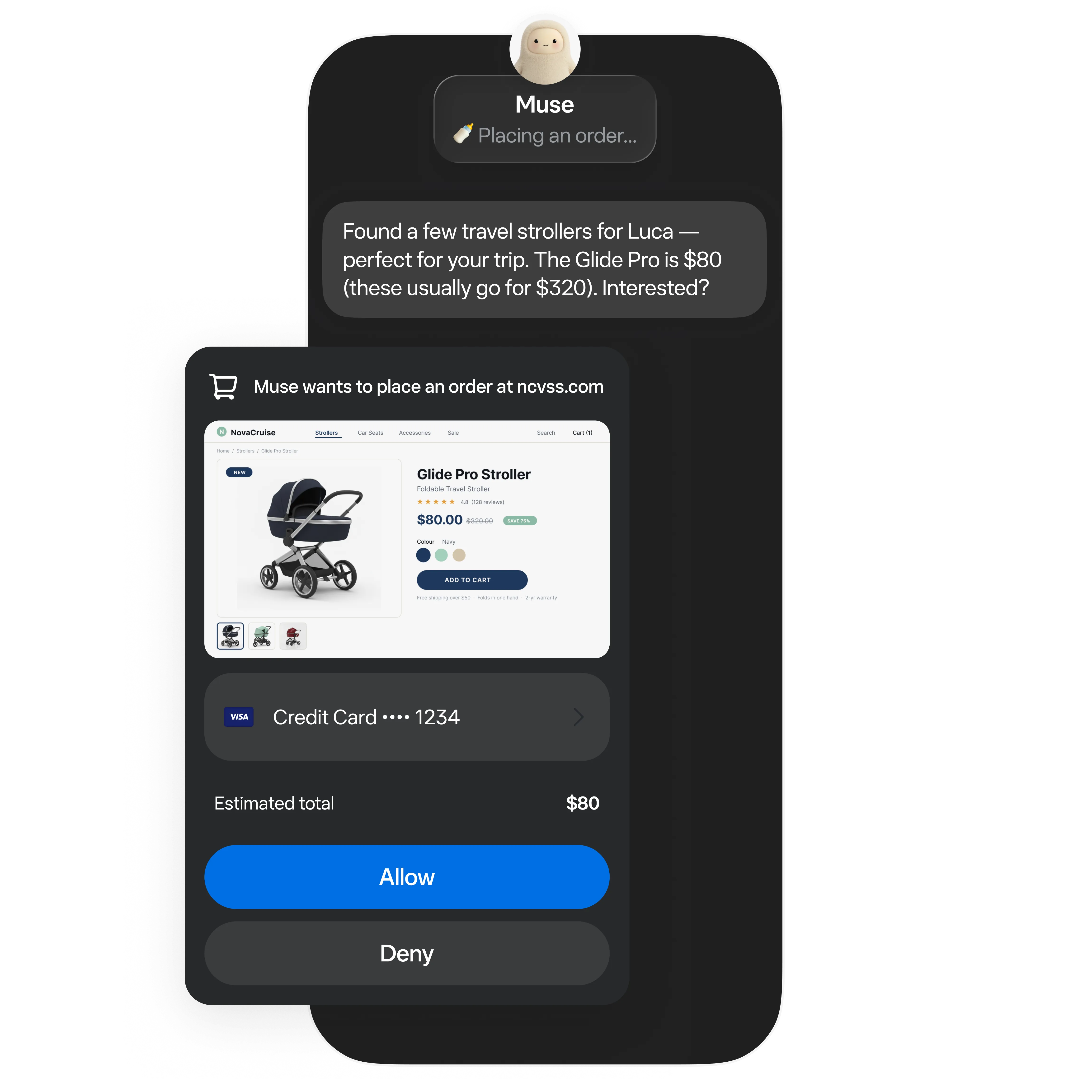
- Before sending a message, check the recipient, text, and attachments.
- Before a purchase or booking, check price, date, terms, and cancellation rules.
- Before submitting a form, review personal details and the final confirmation screen.
- If the next step is unclear, ask Muse to pause and explain it.
04 | Review activity and remove what you no longer need
Meta’s design notes discuss activity records, a permission panel, and controls for viewing memory. Periodically review connections and remove access you no longer use. Avoid sharing passwords, one-time codes, or sensitive information that the task does not require.
05 | A first-use privacy checklist
Start with low-risk work. Connect only the services needed for that task. Read each confirmation card. Check the account’s current data and training options. Stop if a permission request does not match the official explanation or what you asked Muse to do.
References
These sources support the product information in this guide. Musevip is an independent publication and is not affiliated with Meta.
Last reviewed 2026.09.27. Product pages may change.